EasyManua.ls Logo

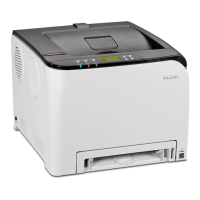
Ricoh SP C360DNW - User Manual

Ricoh SP C360DNW
120 pages
To Next Page IconTo Next Page
Loading...
For safe and correct use, be sure to read the Safety Information in
Read This First before using the machine.
Troubleshooting
Maintenance
Loading Paper
Getting Started
User Guide

Table of Contents

Other manuals for Ricoh SP C360DNW

Question and Answer IconNeed help?

Do you have a question about the Ricoh SP C360DNW and is the answer not in the manual?

Ricoh SP C360DNW Specifications

General IconGeneral
BrandRicoh
ModelSP C360DNW
CategoryPrinter
LanguageEnglish

Summary

Loading Paper

Loading Paper into Trays

Detailed instructions for loading paper into standard and optional paper trays.

Envelope Loading and Printing

Detailed instructions and recommendations for loading and printing with envelopes.

Maintenance Procedures

Printer Cleaning Procedures

Instructions for cleaning various printer parts like trays, rollers, and LED heads.

Troubleshooting Printer Issues

Understanding Printer Alerts

Explains beep patterns, indicator lamps, status icons, and control panel messages.

Printing Failures and Issues

Addresses common problems when the printer cannot print or has other printing issues.

Paper Misfeed Troubleshooting

Solutions for frequent paper jams and feeding errors.

Paper Jam Removal Procedures

Detailed steps to remove paper jams based on error messages and location.
Related product manuals