English _17
PARTS IDENTIFICATION
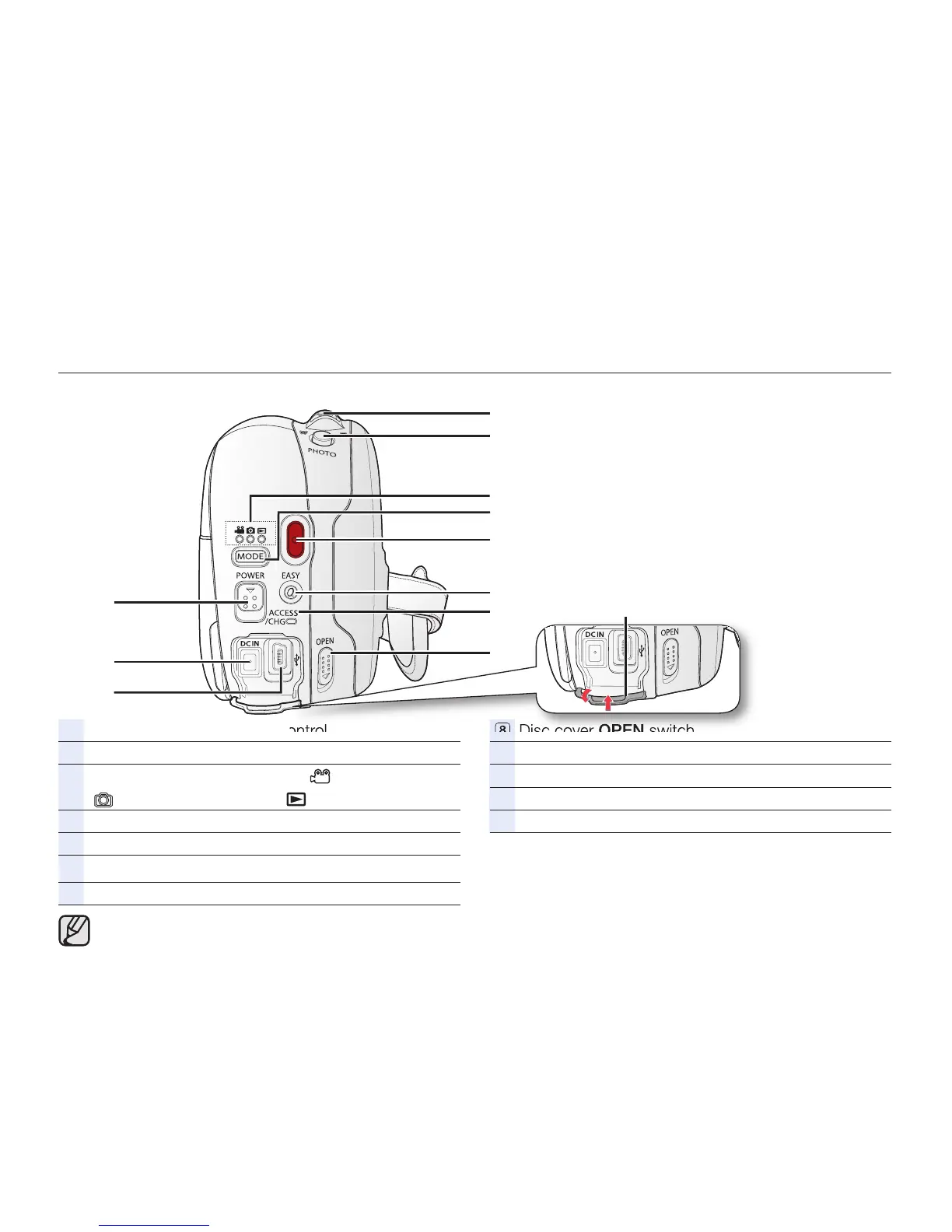
Rear and top view
Zoom (W/T) lever/ Volume control
PHOTO button (SC-DX205 only)
Mode indicator (Video Record ( )/Photo Record
( ) (SC-DX205 only)/Play ( ) mode)
MODE button
Recording start/stop button
EASY Q button
ACCESS/CHG indicator
Disc cover OPEN switch
Jack cover
USB jack (SC-DX205 only)
DC IN jack
POWER switch
Illustrations of model SC-DX205 are used in this user manual.


 To Next Page
 Loading...










