English _25
● INSTALLATION & CONNECTION
INSERTING/REMOVING A MICRO SD MEMORY CARD
J
`
Disconnect the power cable from the camera before inserting the Micro SD memory card.
`
Do not insert the Micro SD memory card while it’s upside down by force.
Otherwise, it may damage the Micro SD memory card.
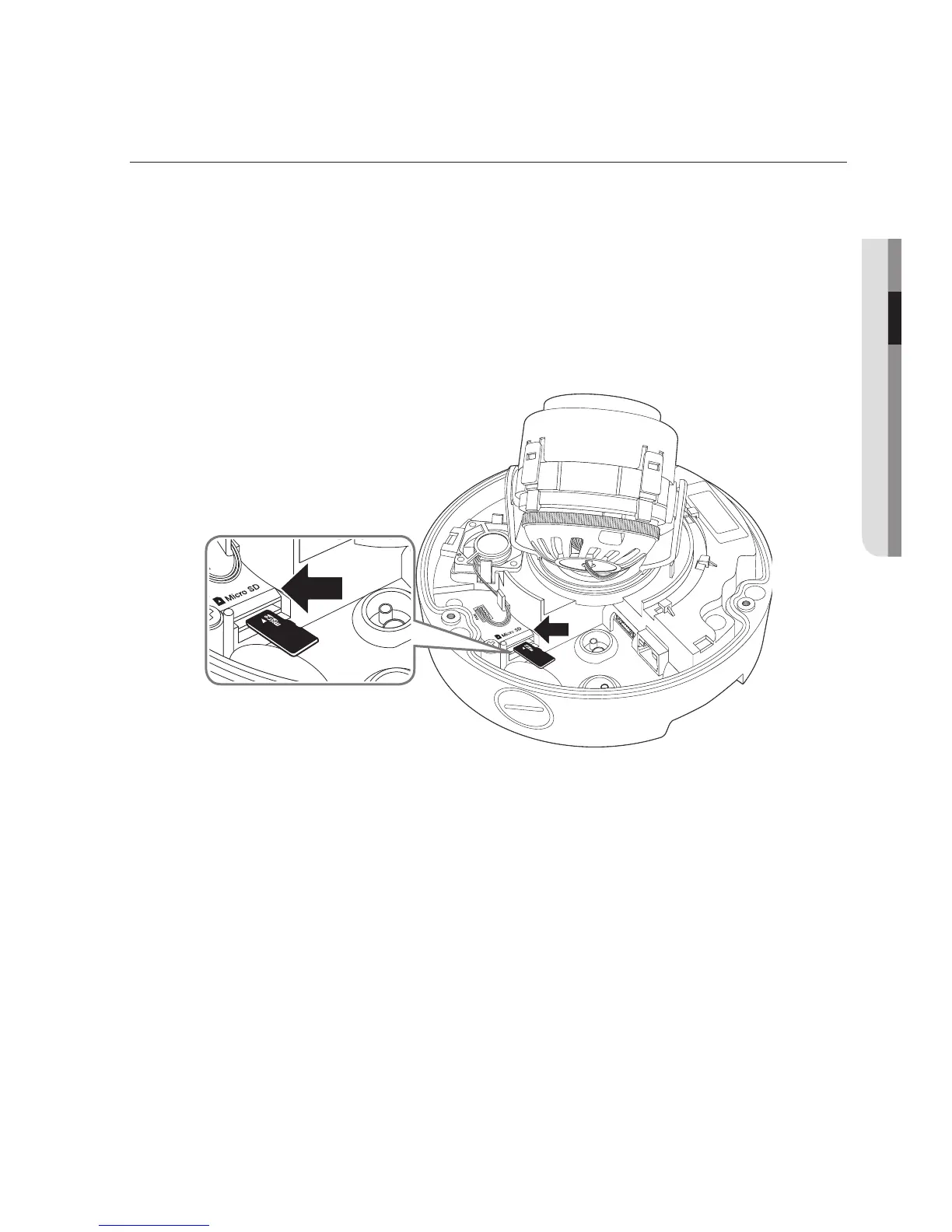
Inserting a Micro SD Memory Card
Push the Micro SD memory card in the direction of the arrow shown in the diagram.


 To Next Page
 Loading...