31
OVERALL CONTROLS
USING THE OVERALL CONTROL MENUS
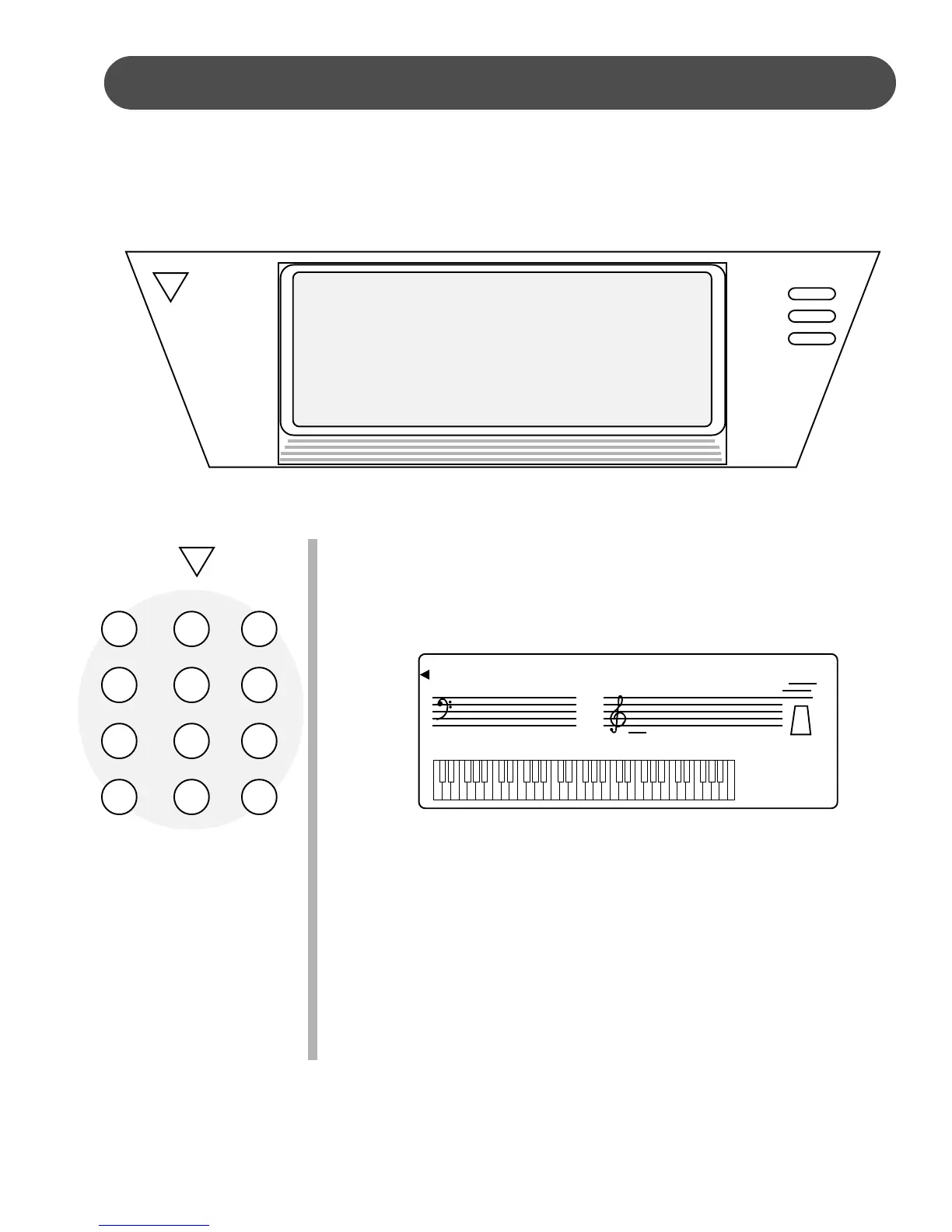
1. Press the OVERALL button. A small triangle will appear on the
display screen pointing to the first item that can be manipulated,
and the current value will show on the display screen.
2. Continue to press the OVERALL button until the triangle is
pointing to the item you wish to access and the current value
appears on the display screen.
3. Use the number pad or the –, + buttons to set a new parameter.
Pressing the – and the + buttons simultaneously will recall the
default setting.
4. After three seconds of no activity the display will exit the Overall
control mode and recover to the default display of voice.
The Overall control function is used to set up or to adjust various parameters related to
the operation of this keyboard. The OVERALL button will access a menu for the DSP
depth, fine tuning, the grading of the music training course, the auto accompaniment
volume, the “talking” vocal prompt for the music training course, transpose, touch re-
sponse, setting the split point, and the metronome.
VOICE
LAYER
LOWER
OVERALL
DSP i
TUNING i
GRADE i
VOLUME i
TALKING i
TRANSPOSE i
TOUCH i
SPLIT POINT i
METRO i
OVERALL
G PIANO
VIBRAPHONE
CHOIR
BRASS
E PIANO
STRINGS
SAXOPHONE
STL. DRUMS
ORGAN
NYLON GTR.
FLUTE
SYN. VOICE
123
456
789
–0+
DSP i
TUNING i
GRADE i
VOLUME i
TALKING i
TRANSPOSE i
TOUCH i
SPLIT POINT i
METRO i
TEMPO 122
08: Depth


 To Next Page
 Loading...