Chapter 3: Function Graphing 87
Using the CALC (Calculate) Operations
CALCULATE Menu
To display the
CALCULATE menu, press y /. Use the items on this menu to analyze the
current graph functions.
value
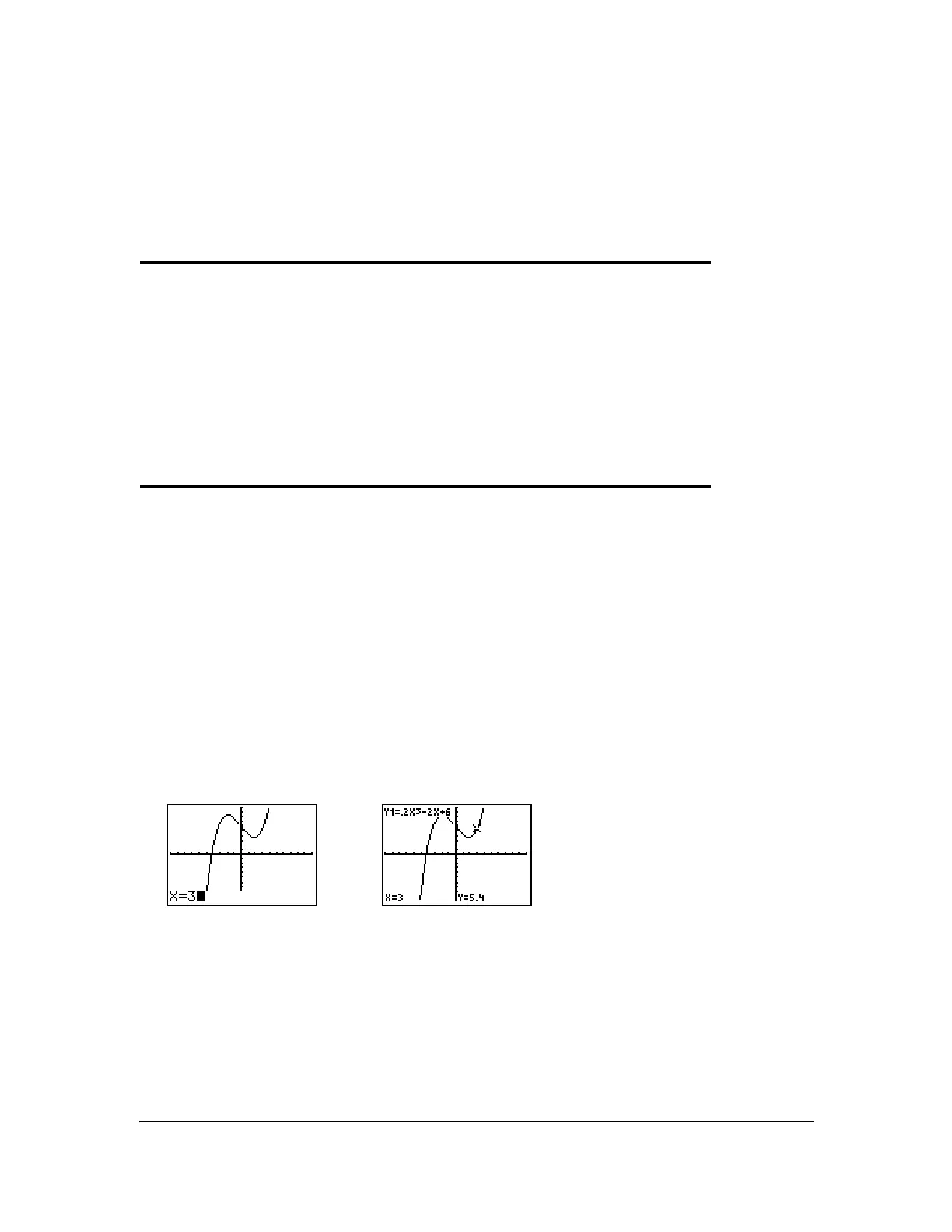
value evaluates one or more currently selected functions for a specified value of X.
Note: When a value is displayed for X, press ‘ to clear the value. When no value is displayed,
press
‘ to cancel the value operation.
To evaluate a selected function at X, follow these steps.
1. Select 1:value from the CALCULATE menu. The graph is displayed with X= in the bottom-left
corner.
2. Enter a real value, which can be an expression, for X between Xmin and Xmax.
3. Press Í.
The cursor is on the first selected function in the Y= editor at the X value you entered, and the
coordinates are displayed, even if
CoordOff format is selected.
To move the cursor from function to function at the entered
X value, press } or †. To restore the
free-moving cursor, press | or ~.
CALCULATE
1: value
Calculates a function Y value for a given X.
2: zero
Finds a zero (x-intercept) of a function.
3: minimum
Finds a minimum of a function.
4: maximum
Finds a maximum of a function.
5: intersect
Finds an intersection of two functions.
6: dy/dx
Finds a numeric derivative of a function.
7: ‰f(x)dx
Finds a numeric integral of a function.














 To Next Page