39
CALL
PROGRAM
SPEED
SLEEP
CANCEL
MUTE
POWER
CLOSED
CAPTION
INPUT
SELECT
CHANNEL
RETURN
ZERO
RETURN
TIMER
REC
0
879
654
321
MENU ENTER
DIGITAL
TRACKING
PAUSE
/STILL
TRACKING
INDEX
STOP
PLAY
FF
REW
COUNTER
RESET
TV MONITOR
SKIP
SEARCH
EJECT
VOL+
+
+
–
–
VOL–
CH–
CH+
REC
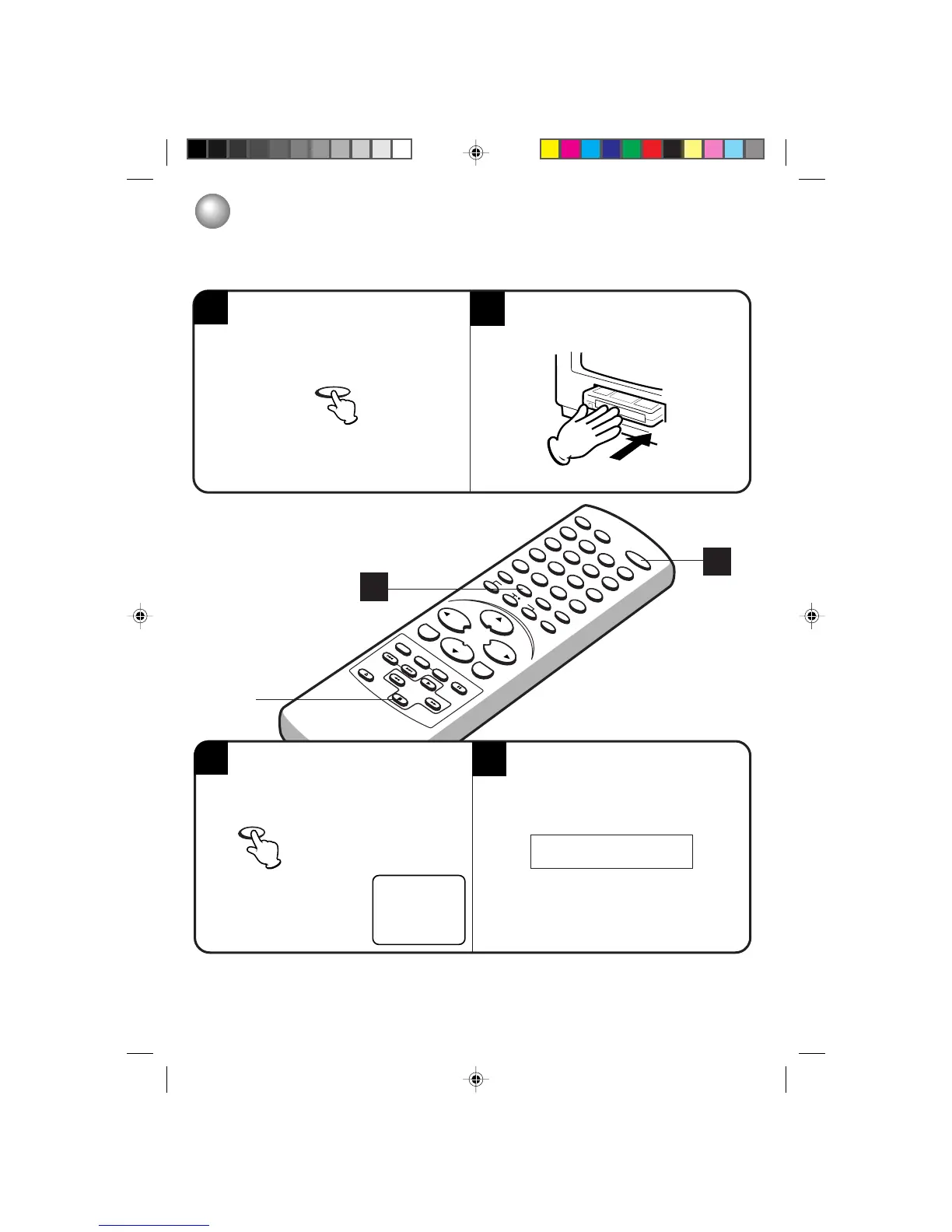
RECORDING AND VIEWING THE SAME TV PROGRAM
RECORDING A TV PROGRAM
TV - VHF/UHF channels
CABLE - Cable TV channels
To turn on the TV/VCR, press POWER.
00
:
00
:
00 SP
2
4
3
1
Press SPEED to select the desired tape speed
SP or SLP. The counter and SP or SLP will ap-
pear on the screen about 4 seconds.
Set the TV/CABLE selection to the appropriate
position (see page 22).
NOTES:
• If power is switched off during recording, the TV set goes off and the VCR continues to record.
Press STOP to halt the recording and turn off the VCR.
• The TV/VCR Channel cannot be changed during recording.
3
1
POWER
SPEED
STOP
Load a cassette tape with the erase prevention
tab intact.
5L80101C P34-43 20/4/04, 16:2239


 To Next Page
 Loading...