8
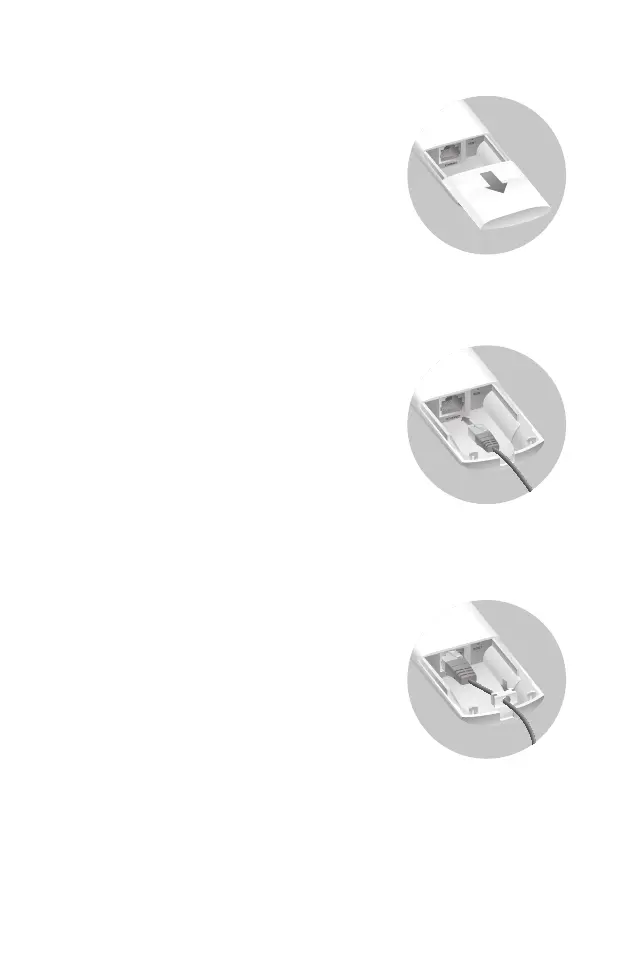
Connect Cables
Firmly grasp the rear of the interface
cover and pull it downward.
Step 1:
Use an adequate Ethernet cable to
connect the LAN port. The length of
cable is up to 100m for steady
power supply. Shielded CAT5e (or
above) cable is recommended.
Step 2:
Attach the waterproof rubber insert
to the groove at the underside of
the device for waterproofing and
replace the cover until it firmly locks
into place.
Step 3:


 To Next Page
 Loading...