EasyManua.ls Logo

Utax P-4030i MFP - Set the Date; Set the Time

Utax P-4030i MFP
421 pages
Print Icon
To Next Page IconTo Next Page
To Previous Page IconTo Previous Page
Loading...
2-12
Installing and Setting up the Machine > Default Settings of the Machine
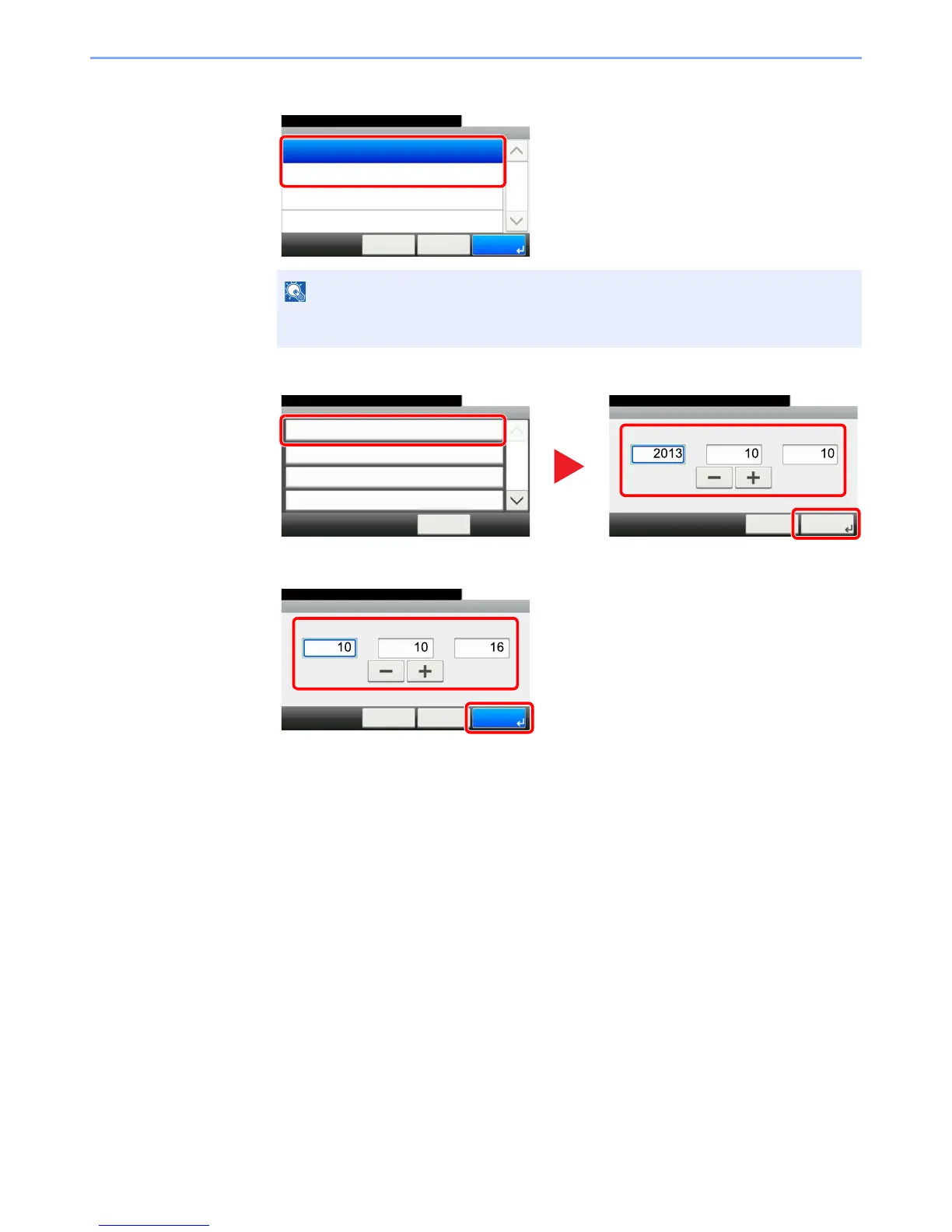
2 Set the summer time.
3 Set the date.
4 Set the time.
NOTE
If you select a region that does not utilize summer time, the summer time setting screen
will not appear.
System Menu/Counter.
Time Zone - Summer Time
Off
10:10
On
< Back OKCancel
1/1
System Menu/Counter.
Date/Timer/Energy Saver
Date/Time
10/10/2013 10:10
10:10
Date Format
DD/MM/YY
On
+09:00 Osaka, Sapporo, Tokyo
Time Zone
Auto Panel Reset
1/4
< Back
Date/Timer/Energy Saver - Date/Time
10:10System Menu/Counter.
Month
Cancel
Next >
Year
Day
1
2
3
Date/Time - Time
10:10System Menu/Counter.
Minute
< Back
OK
Hour
Second
Cancel
:::
1
2

Table of Contents

Related product manuals