218 Engine Start and Operation
Cruise Control
Do not use the cruise control in heavy
traffic, with ice/snow on the road or dur-
ing other unfavorable conditions. This
may lead to a loss of vehicle control,
causing a vehicle crash and can result in
personal injury or death.
Engaging
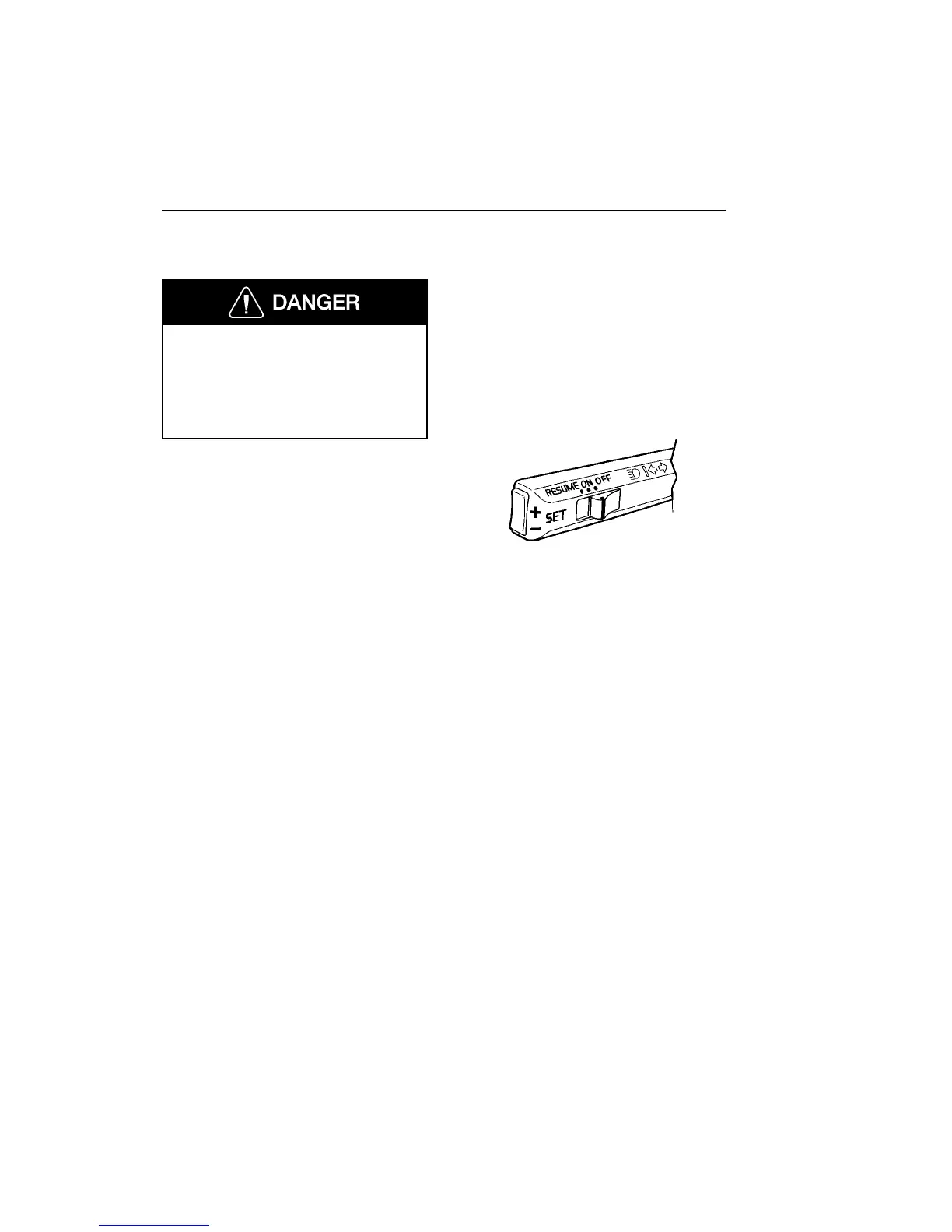
The cruise control switches are located on
the turn signal lever.
To engage and set desired speed:
1 Set the cruise control switch to ON.
2 When the desired vehicle speed has
been reached, momentarily press in
the SET+ or SET- switch on the end
of the lever.
3 If the speed needs to be increased,
press the SET+ switch. The vehicle
speed will increase as long as the
SET+ switch is pressed (speed will not
increase above the maximum pro-
grammed speed). Release when the
desired speed has been reached.
4 If the speed needs to be decreased,
press the SET- switch. The vehicle
speed will decrease as long as the
SET- switch is pressed (speed will not
decrease below the minimum pro-
grammed speed). Release when the
desired speed has been reached.
NOTE! The cruise control cannot be en-
gaged at speeds below approximately
30 mph (45 km/h) and engine speed below
approximately 1000 r/min.
W3002499


 To Next Page
 Loading...