Using, Creating and Editing Songs
Recording Your Performance
CVP-305/303/301 Owner’s Manual
138
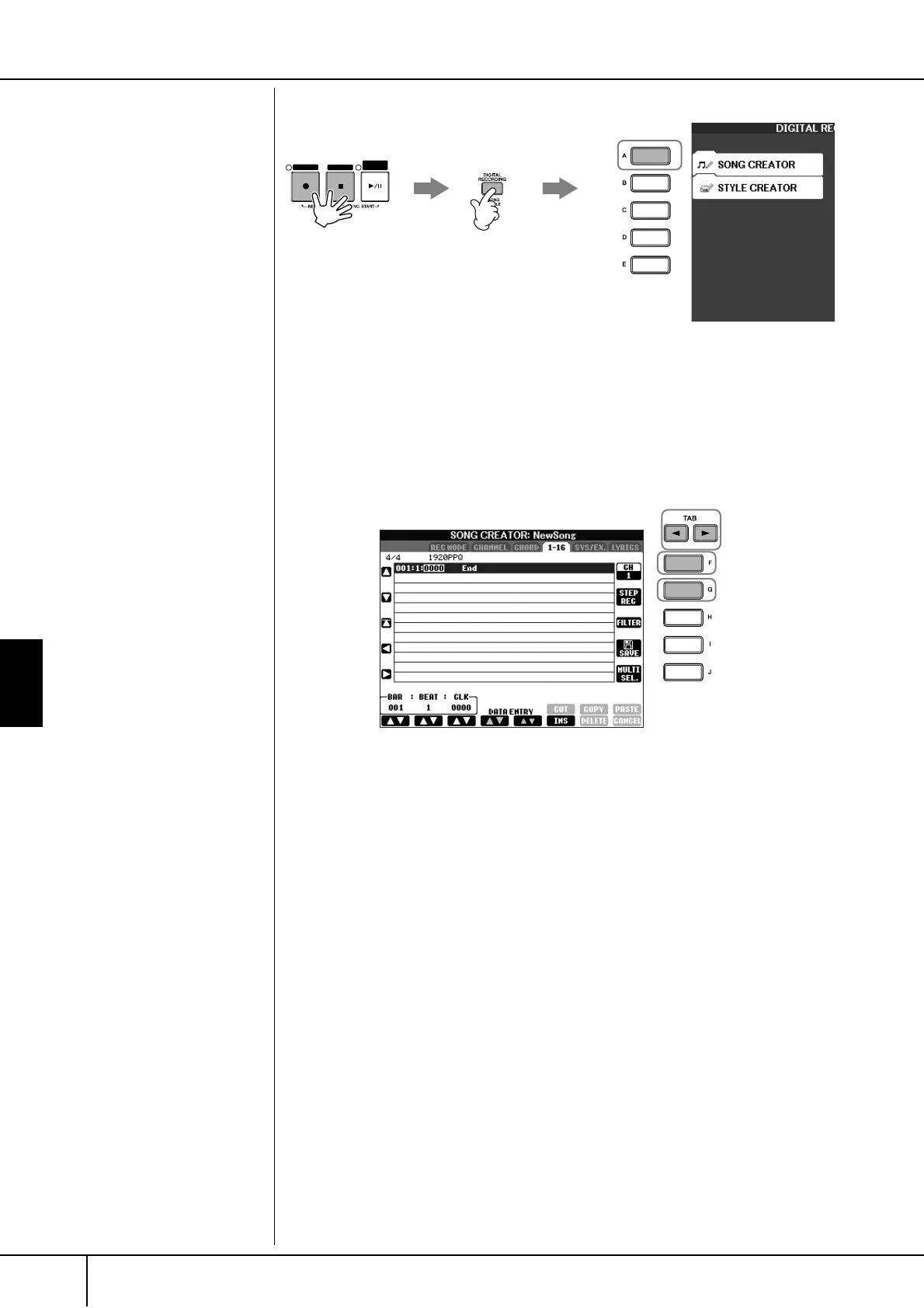
2 Press the [DIGITAL RECORDING] button.
3 Press the [A] button to call up the Song Creator display for recording/
editing a Song.
4 Select the appropriate tab by using the TAB [
√
][
®
] buttons.
For recording melodies .............. Select the [1–16] tab.
For recording chords .................. Select the [CHORD] tab.
5 If you select the “1–16” tab in step 4, press the [F] button to select the
channel for recording.
6 Press the [G] button to call up the STEP RECORD display.
7 Start Step Recording.
For recording melodies .............. See page 139.
For recording chords .................. See page 146.
REC STOP
PLAY/
PAUSE
21
3
6
5
4


 To Next Page
 Loading...