Using, Creating and Editing Voices
Editing the Volume and Tonal Balance (MIXING CONSOLE)
CVP-305/303/301 Owner’s Manual
86
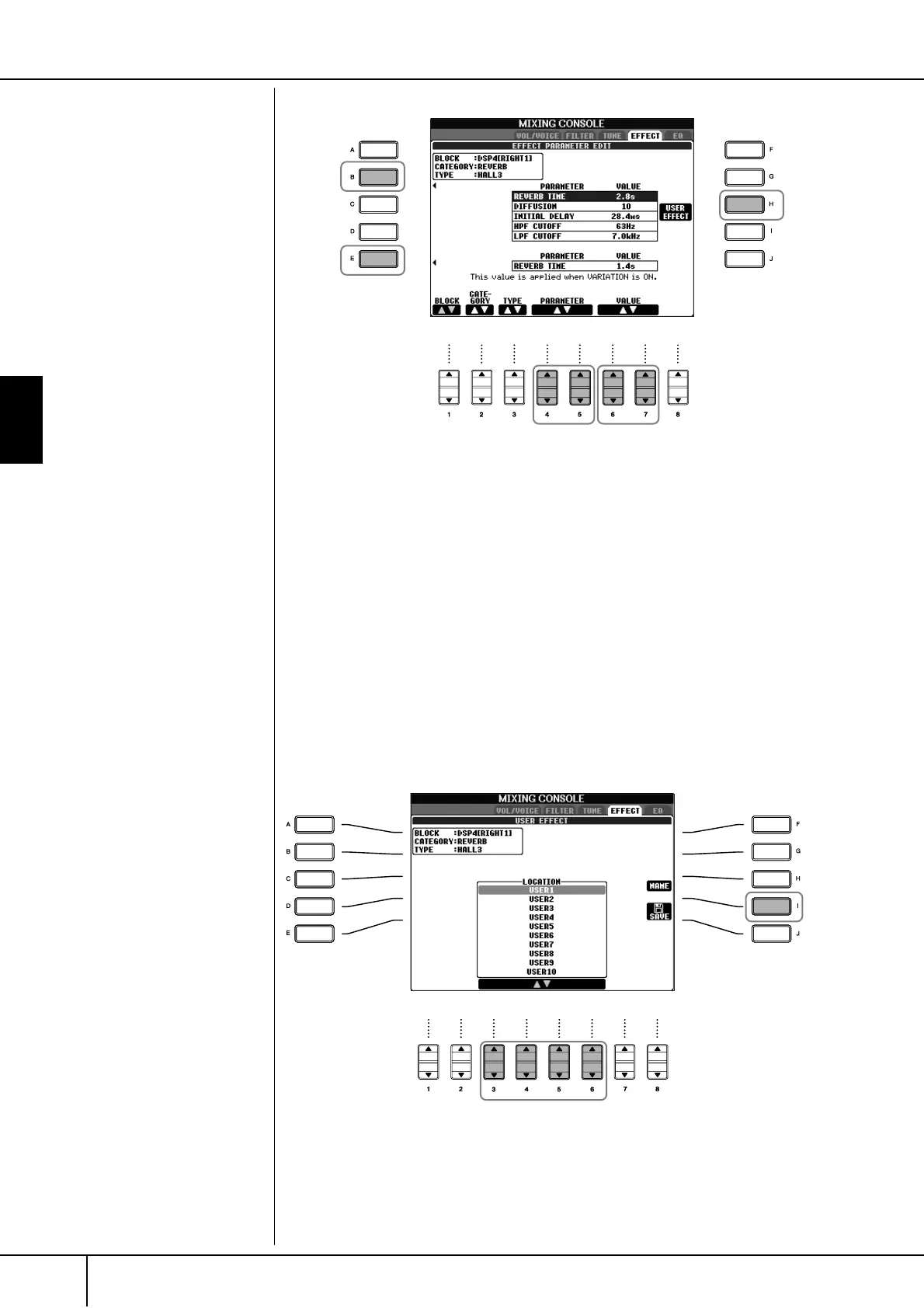
11 Select one of the parameters you want to edit by using the [4
ππ
ππ
††
††
]/
[5
ππ
ππ
††
††
] buttons.
Available parameters differ depending on the selected Effect type.
12 Adjust the value for the selected parameter by using the [6
ππ
ππ
††
††
]/
[7
ππ
ππ
††
††
] buttons.
If you have selected the REVERB, CHORUS or DSP1 effect block in step 5:
Adjust the Effect Return Level by pressing [8
π†
] button.
13 Press the [H] (USER EFFECT) button to call up the display for saving
your original effect.
14 Use the [3
ππ
ππ
††
††
]–[6
ππ
ππ
††
††
] buttons to select the destination for saving
the effect.
The maximum number for effects that can be saved differs depending on the
effect block.
15 Press the [I] (SAVE) button to save the effect (page 63).
When recalling the saved effect, use the same procedure as in step 8. If you
want to change the effect name, press the [H] (NAME) button.
Re-selecting the Effect block,
category and type
Use the [1
π†
]–[3
π†
] but-
tons. The re-selected effect con-
figuration is displayed at the
upper left side box in the display.
10
13
11 12
Effect Return Level:
Determines the level or amount
of effect applied.
This is set for all parts or chan-
nels.
14
15


 To Next Page
 Loading...