26
Chapter 2: There’s no place like Home
Setting up ngerprint ID from Settings
To set up your ngerprint ID from Settings:
1. Ensure that the ngerprint scanner and your nger are clean and dry.
2. LaunchtheSettingsscreenbydoinganyofthefollowing:
• Launch Quick Settings then tap .
• Swipe up from the lower part of your Home screen then tap Settings.
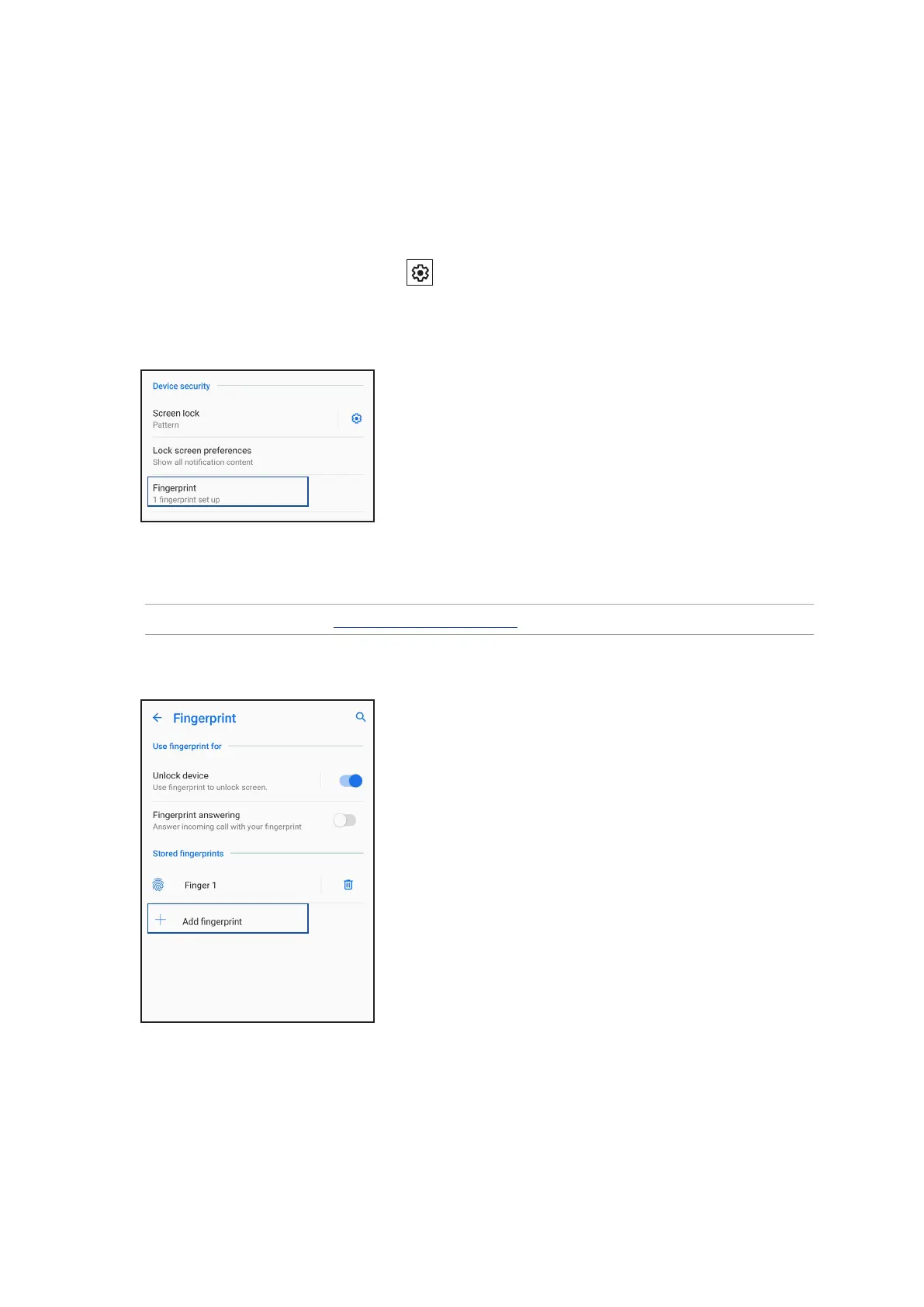
3. Scroll down the Settings screen and select Security & lock screen > Fingerprint.
4. Unlock your phone if it’s secured. If not, follow the instructions to set up your backup screen lock
method.
NOTE: For more details, see Securing your ASUS Phone.
5. Tap Add ngerprint.
6. Repeatedly place-and-lift your nger on the scanner until your ngerprint is captured.
7. Tap OK to complete the setup.


 To Next Page
 Loading...