64
Chapter 8: Travel and Maps
Stopwatch
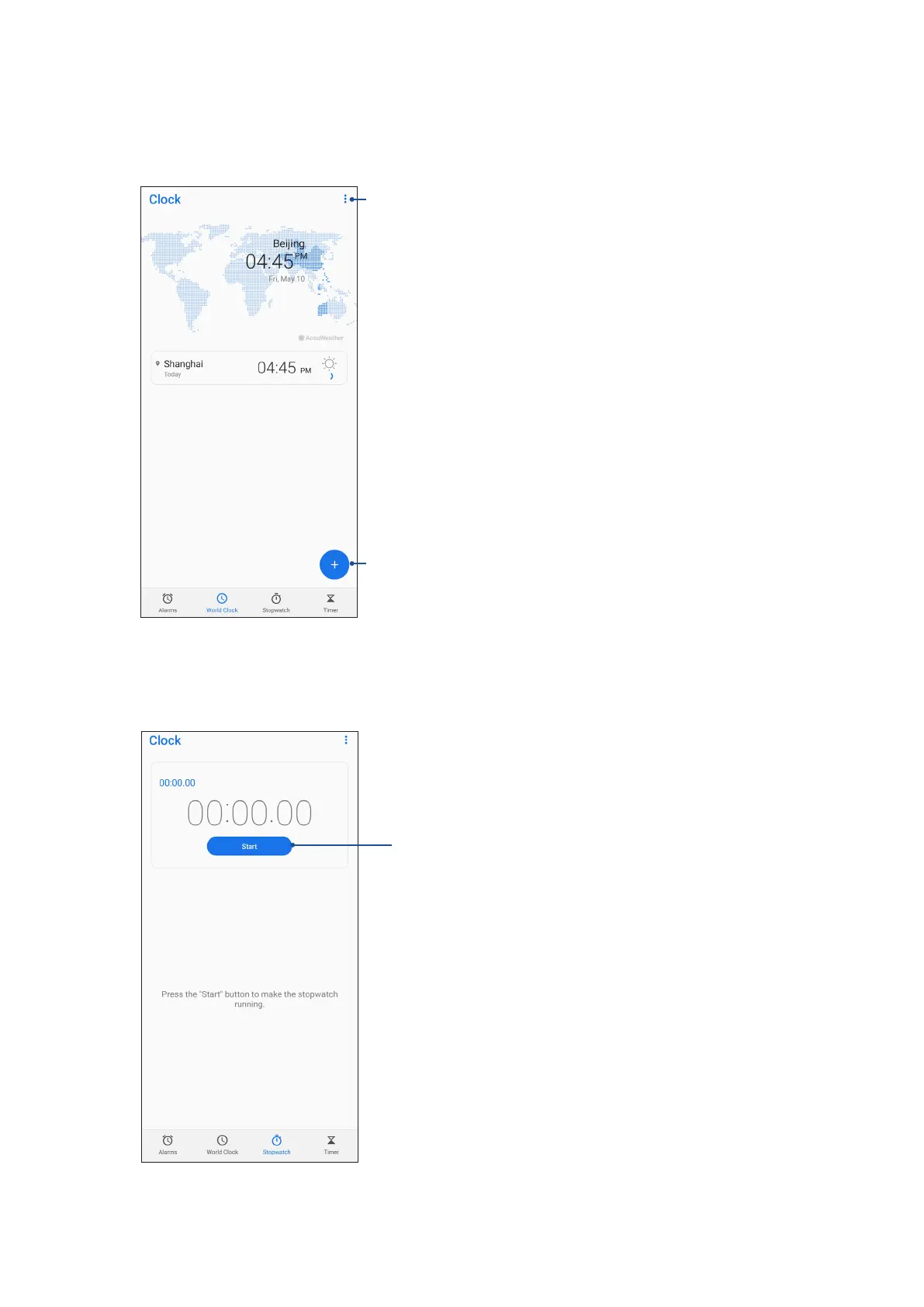
Tap Stopwatch to use your ASUS Phone as a stopwatch.
Tap this button to start running the stopwatch feature
World clock
Tap World Clock to access the world clock settings of your ASUS Phone.
Tap this to edit the cities marked on your world clock
Tap this to add a new city to mark on your world clock’s map.


 To Next Page
 Loading...