Paper Selection
2-31
2
Introduction to the Mail Box Functions
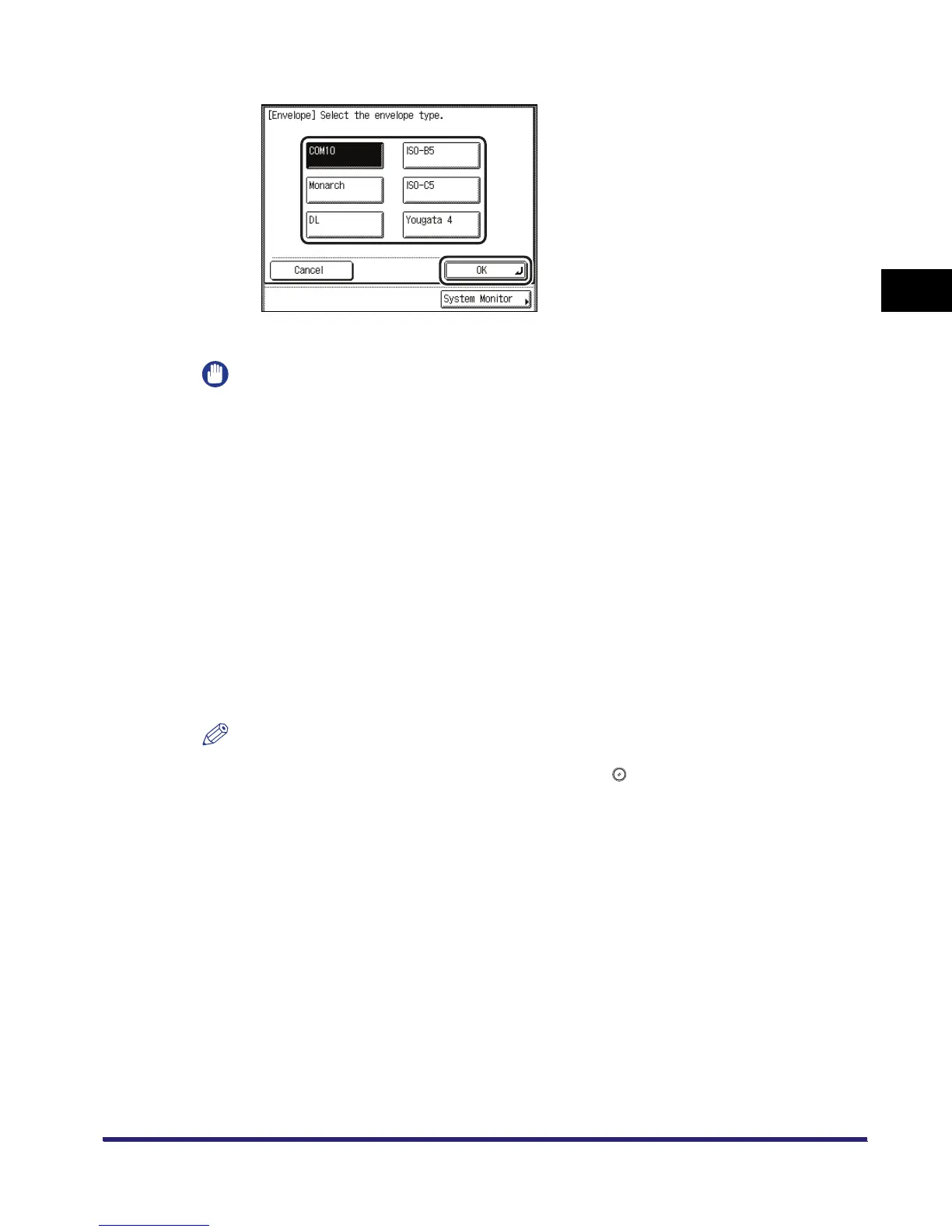
❑ Select the desired envelope type ➞ press [OK].
The display returns to the paper size selection screen.
IMPORTANT
•
If the envelope type is not selected correctly, a paper jam will occur.
•
If you select an envelope size, Finisher mode, Two-sided Printing, or Cover/Job Separator mode
cannot be specified.
❑ Press [OK].
4
Press [Done].
The display returns to the Change Print Settings screen, and the selected paper size and type
are displayed.
5
Press [Start Print].
If there is a current or reserved print job, the document is placed in the queue and is printed
after the current or reserved job is complete.
Printing starts.
NOTE
To cancel all settings and return the machine to the Standard Local Print Settings, press [Initial
Settings]. To return to the Inbox Selection screen, press .


 To Next Page
 Loading...