Displaying a Help Screen
1-32
Before You Start Using This Machine
1
■ Explanation Screen
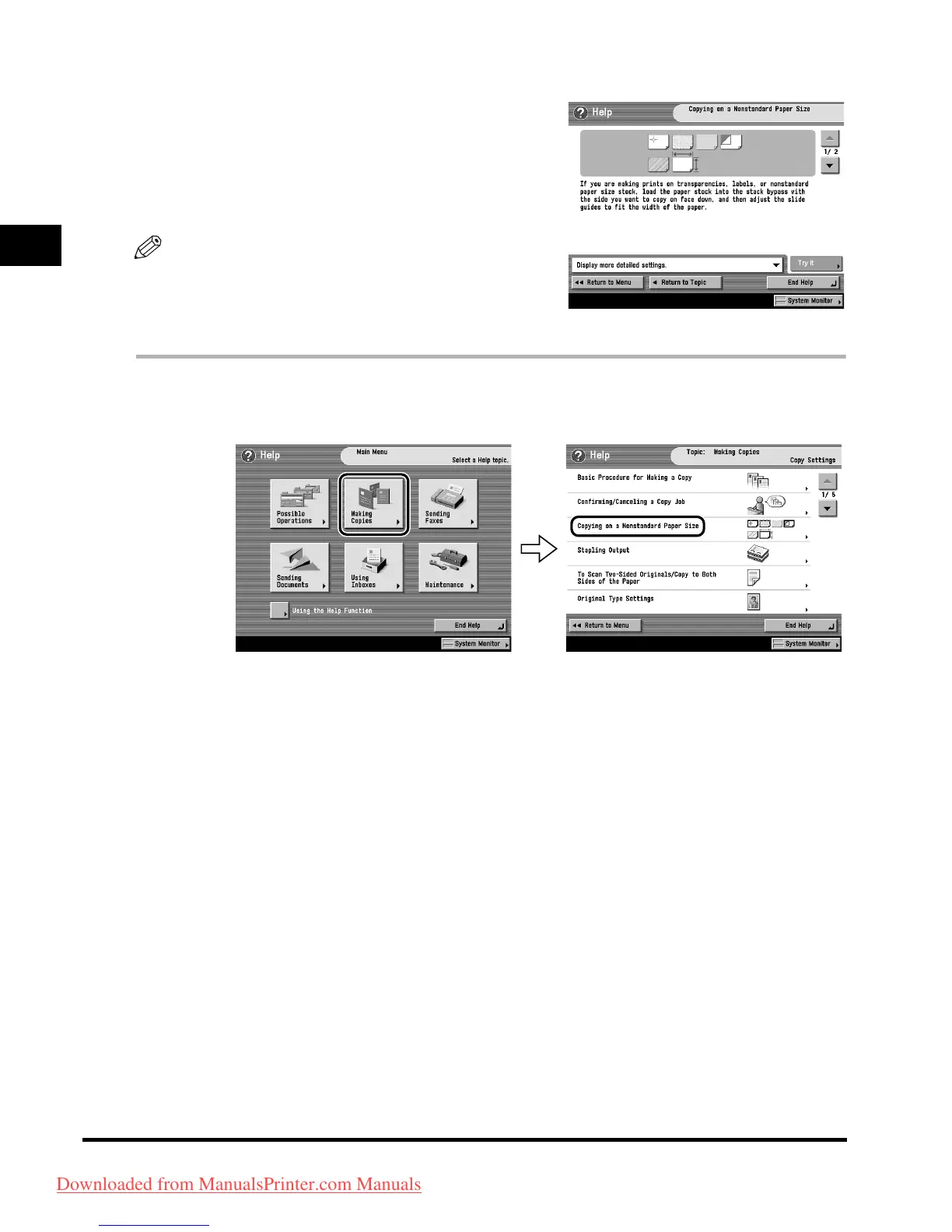
Displays a detailed explanation of the function selected on
the list screen.
Press [Try It] to jump to the screen for setting the selected
function.
Press [Display more detailed settings.] to display more
detailed information and related topics.
NOTE
The [Try It] key is only displayed on the Explanation
Screen for some Copy functions.
Example: The procedure for copying on a nonstandard
paper size.
1
Press [Making Copies] ➞ [Copying on a Nonstandard Paper Size].
2
Check the detailed information for the function.
Press [Try It] ➞ [Yes] to try using the function.
Downloaded from ManualsPrinter.com Manuals


 To Next Page
 Loading...







