8
. Installaton and Connectons
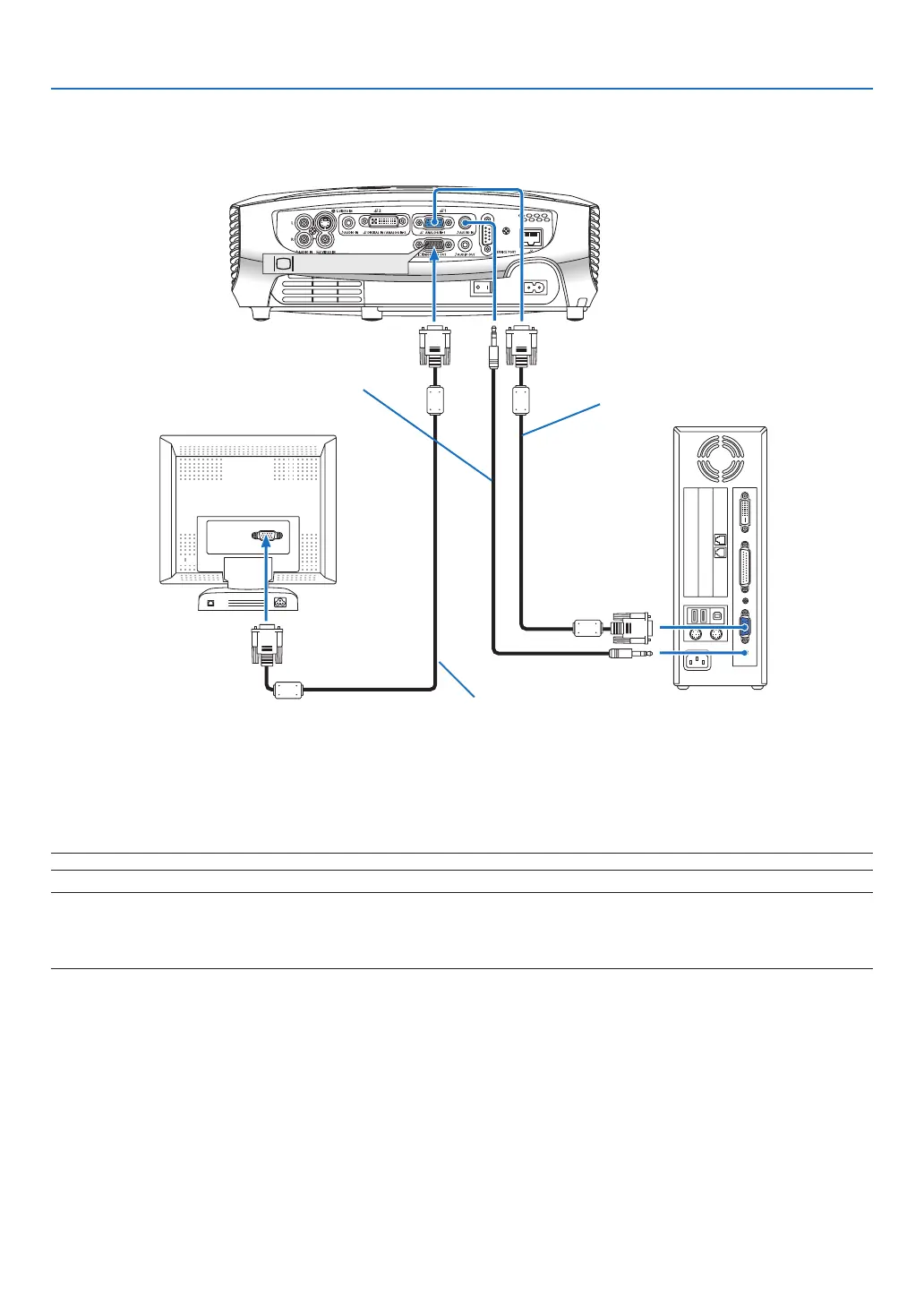
Connecting an External Monitor
You can connect a separate, external monitor to your projector to simultaneously view on a monitor the RGB ana-
log image you're projecting.
NOTE: Daisy chain connection is not possible.
NOTE:
• The signal from the DIGITAL IN/ANALOG IN-2 connector cannot be output from the MONITOR OUT connector.
• When audio equipment is connected, the projector speaker is disabled.
• Use an audio cable without a built-in resistor. Using an audio cable with a built-in resistor turns down the sound.


 To Next Page
 Loading...