13
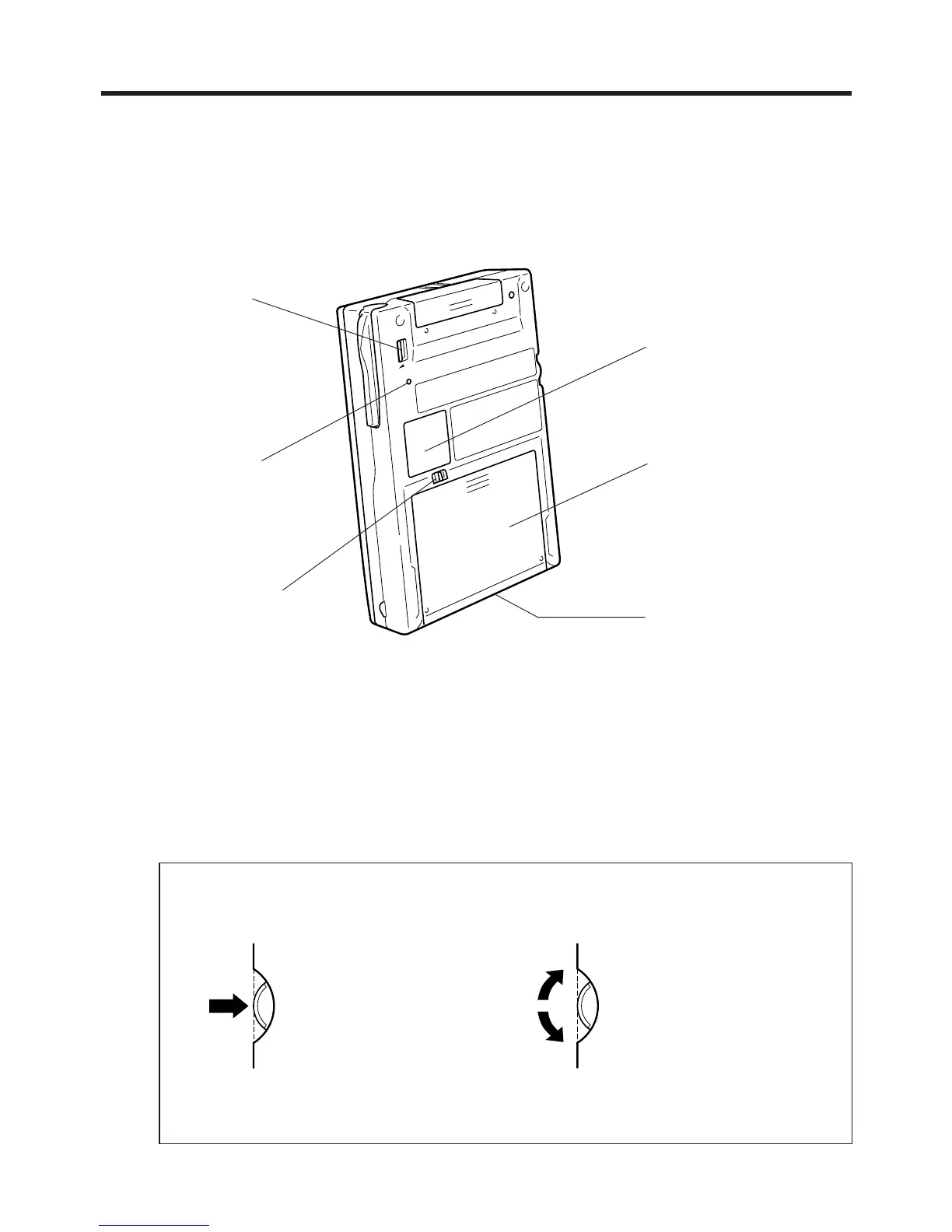
RESET button
Serial connector
Mates with the cradle
connector.
Main battery cover
Battery cover switch
About the [Action] Control
Operations can be performed by pressing and rotating the [Action] control.
See the Palm-size PC User’s Guide for full details on [Action] control operations
inside of specific applications.
Pressing the [Action] control
performs an operation
similar to the Enter key of a
computer keyboard.
Rotating the [Action] control
performs operations similar to
the up and down arrow keys
of a computer keyboard.
Card lock switch
If the inserted card has
a lock, this switch locks
the card in place so it
does not come out
accidentally.
Backup battery cover


 To Next Page
 Loading...