CDP-120
– 14 –
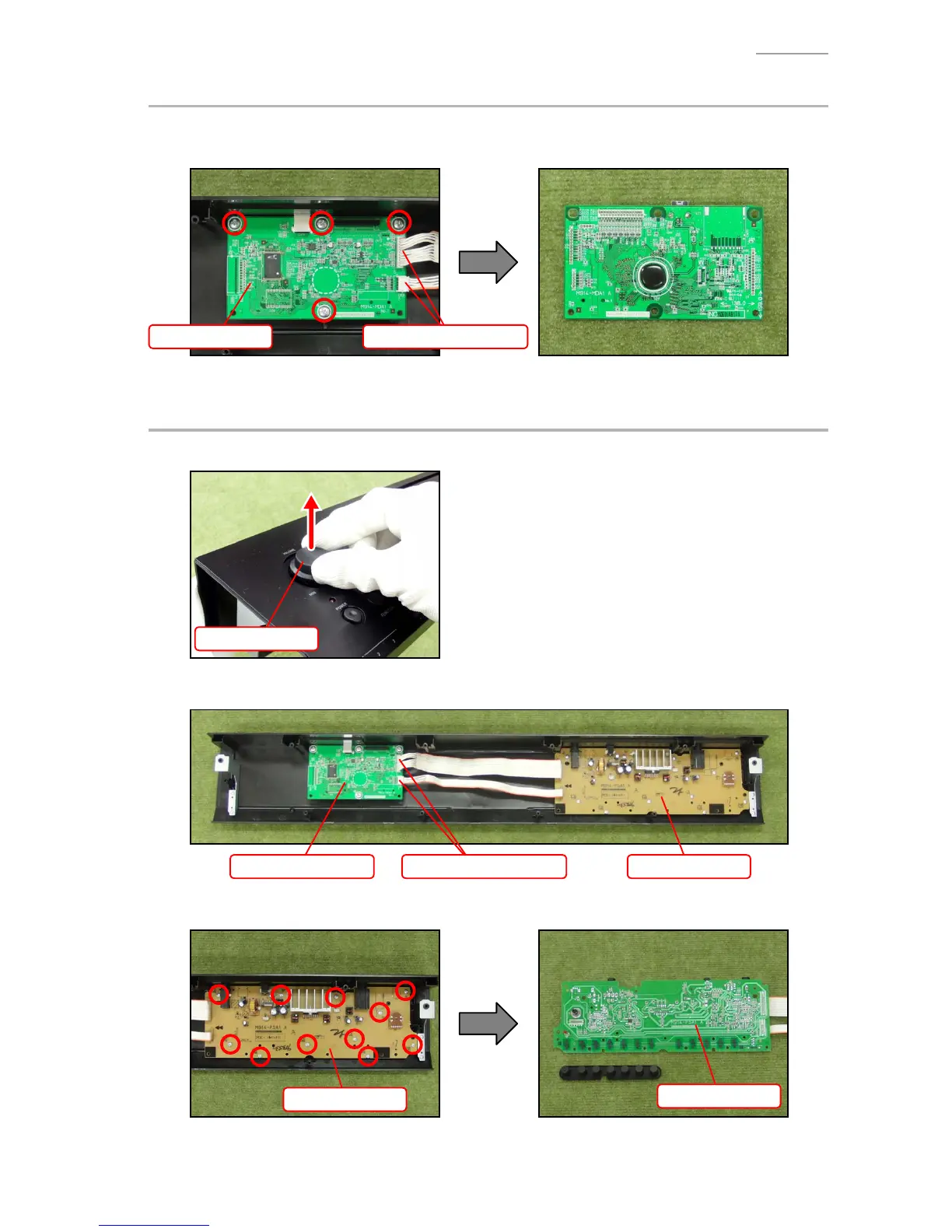
B. REMOVE THE M914-MDA1 PCB (MAIN PCB)
B-1. Remove two connectors.
B-2. Undo four screws and then remove the M914-MDA1 PCB.
M914-MDA1 PCB Connectors (M914-PSA1)
C. REMOVE THE M914-PSA1 PCB (POWER AMP PCB)
C-1. Remove the ROTARY-KNOB
ROTARY-KNOB
C-2. Remove two connectors from the M914-MDA1 PCB.
M914-MDA1 PCB M914-PSA1 PCBConnectors (M914-PSA1)
C-3. Undo 11 screws and then remove the M914-PSA1 PCB and rubber key.
M914-PSA1 PCB
M914-PSA1 PCB


 To Next Page
 Loading...