CDP-120
– 23 –
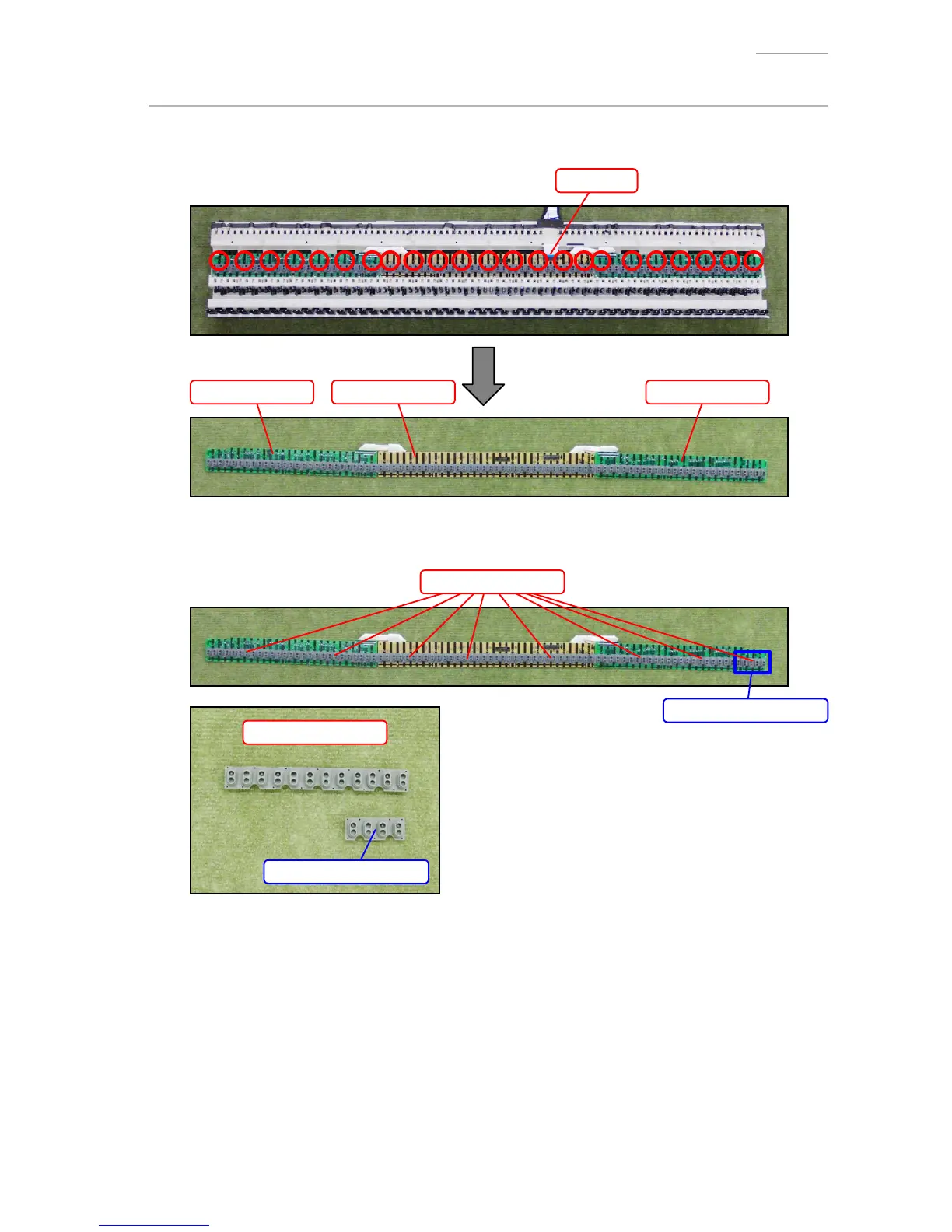
C. REMOVE THE M914-KYA1/KYB1/KYC1 PCBs (KEYBOARD PCB)
C-1. Release the connector lock and remove the FFC.
C-2. Remove 23 screws and then remove the M914-KYA1/KYB1/KYC1 PCBs.
FFC
M914-KYA1 PCB M914-KYB1 PCB M914-KYC1 PCB
C-3. Remove eight rubber contact strips.
NOTE: One rubber contact strip is shorter than the others.
Short rubber contact strip
Rubber contact strips
Short rubber contact strip
Rubber contact strips


 To Next Page
 Loading...