92
7 / TROUBLESHOOTING
EN
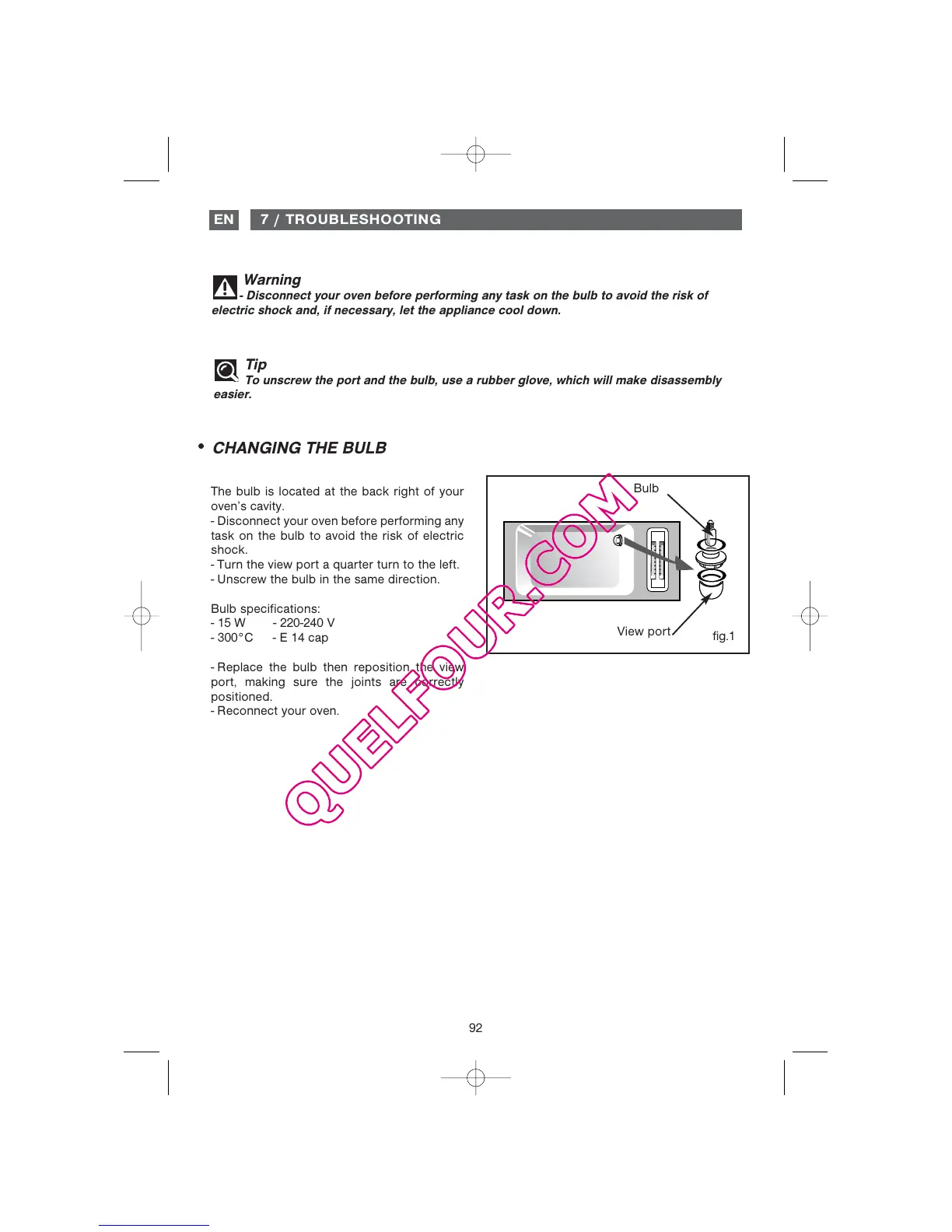
CHANGING THE BULB
••
Tip
To unscrew the port and the bulb, use a rubber glove, which will make disassembly
easier.
Warning
- Disconnect your oven before performing any task on the bulb to avoid the risk of
electric shock and, if necessary, let the appliance cool down.
fig.1
The bulb is located at the back right of your
oven’s cavity.
- Disconnect your oven before performing any
task on the bulb to avoid the risk of electric
shock.
- Turn the view port a quarter turn to the left.
- Unscrew the bulb in the same direction.
Bulb specifications:
- 15 W - 220-240 V
- 300°C - E 14 cap
- Replace the bulb then reposition the view
port, making sure the joints are correctly
positioned.
- Reconnect your oven.
Bulb
View port


 To Next Page
 Loading...