Using Cards 57
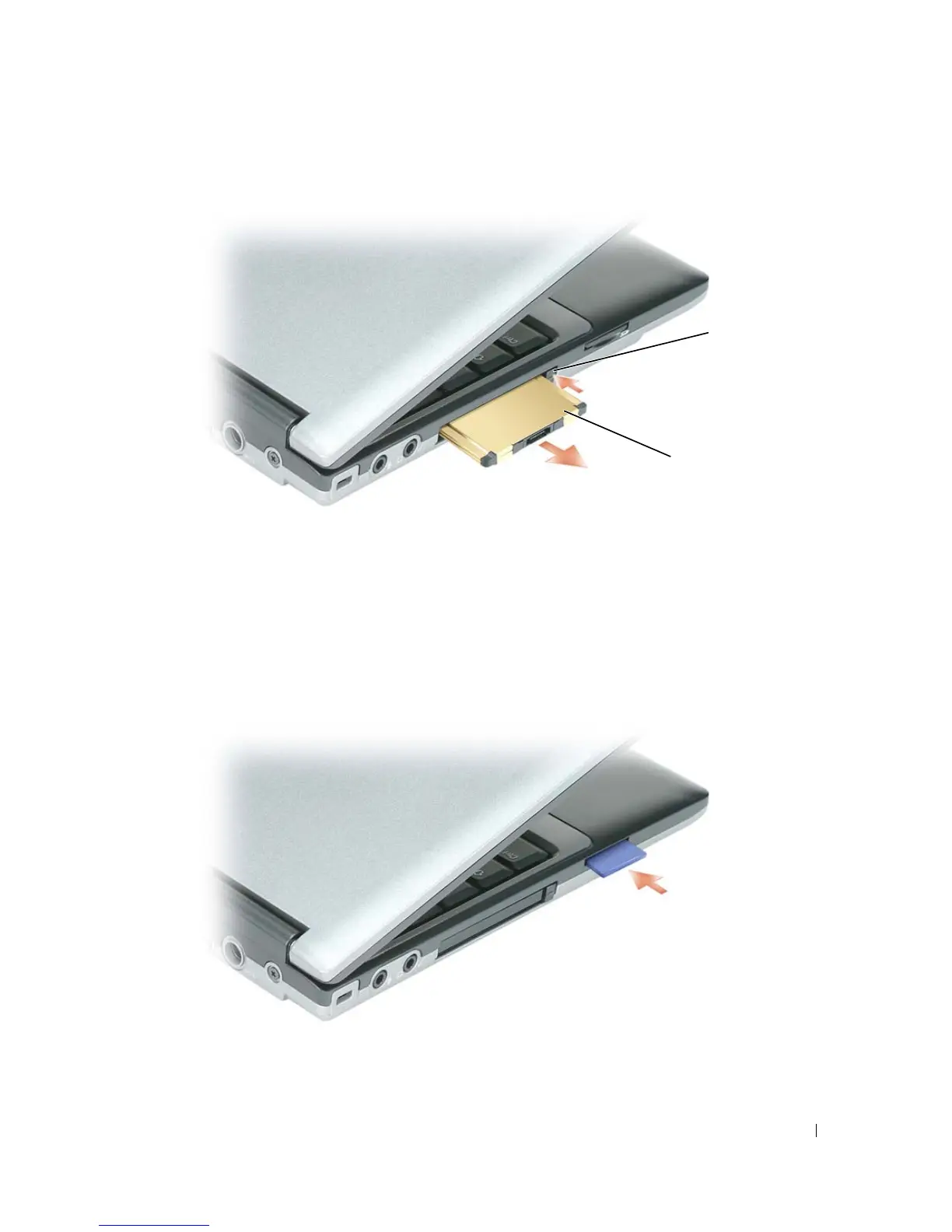
Installing or Removing a Secure Digital (SD) Card
1
Ensure that the card orientation is correct; the gold-metal contacts should be facing downward.
2
Slide the card into the slot until the card is completely seated in its connector.
To remove a secure digital card, press in on the card and it will spring outward. Remove the card from the
computer.
1 release button 2 PC Card
1
2


 To Next Page
 Loading...














