NOTE: This procedure applies only to computers shipped with a WWAN card installed.
5. Remove the 2-cell battery or the 3-cell battery, whichever is applicable.
6. Remove the heat-sink.
7. Remove the speakers.
8. Remove the I/O daughterboard.
9. Remove the Power button.
10. Remove the system board.
NOTE: When removing the system board to replace or access other parts, the system board can be removed and
installed with the heat sink attached to simplify the procedure and preserve the thermal bond between the system board
and heat sink.
About this task
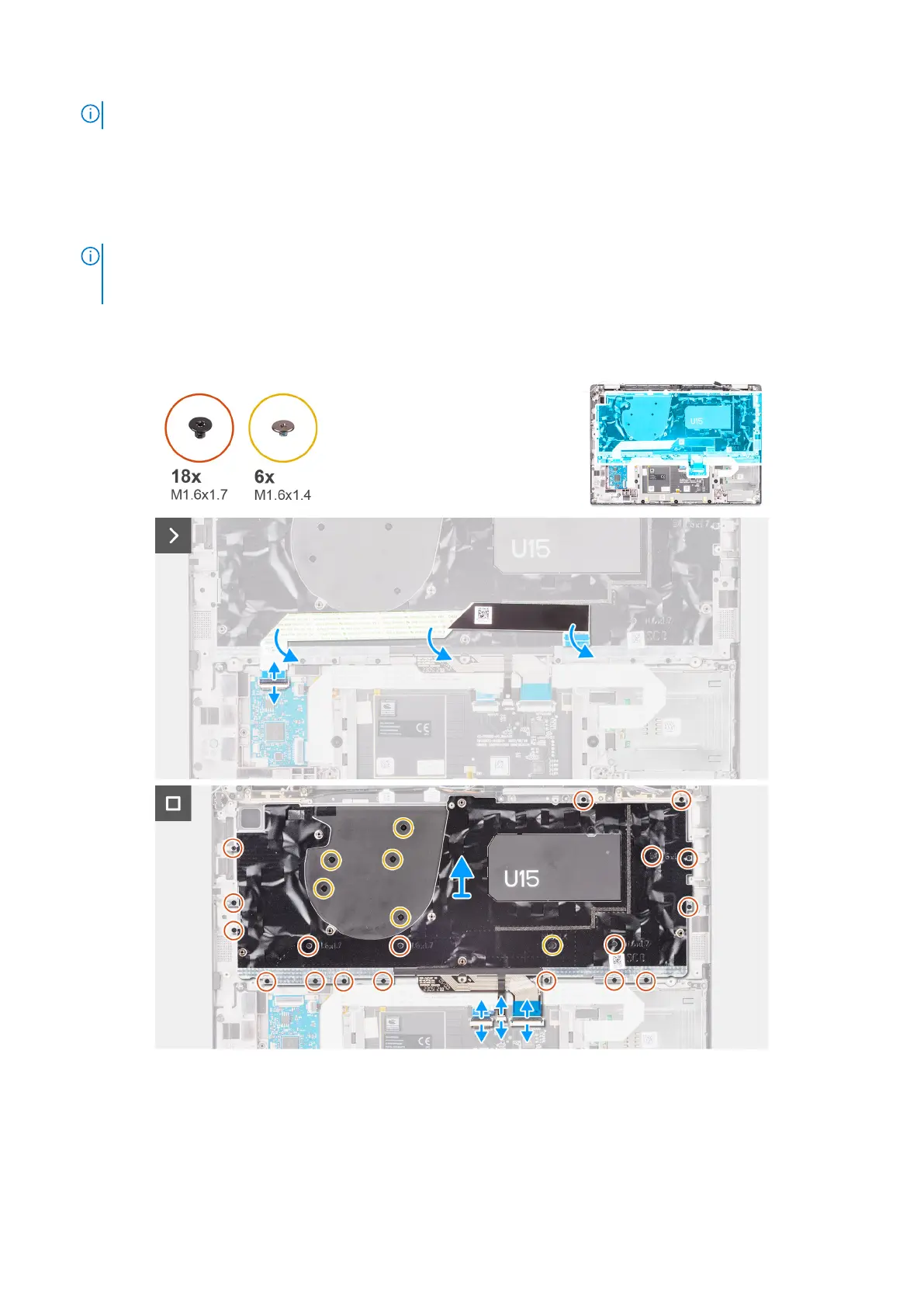
The following images indicate the location of the keyboard and provide a visual representation of the removal procedure.
Figure 78. Removing the keyboard
Removing and installing Field Replaceable Units (FRUs)
107


 To Next Page
 Loading...





