188
The Setup Menus
8
Qa
Choose a language.
MY MENU SETTING
Edit the items listed in the E (MY MENU) tab, a personalized cus-
tom menu of frequently-used options.
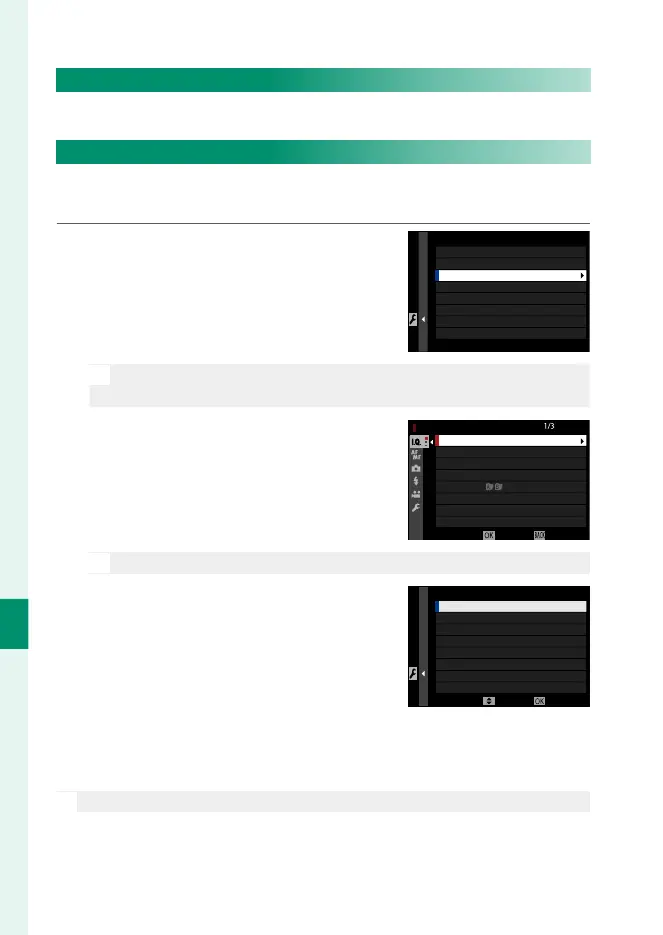
1
Highlight D USER SETTING> MY
MENU SETTING in the D (SET UP)
tab and press MENU/OK.
MY MENU SETTING
ADD ITEMS
RANK ITEMS
REMOVE ITEMS
N
To reorder items, select RANK ITEMS. To delete items, select
REMOVE ITEMS.
2
Press the selector up or down to
highlight ADD ITEMS and press
MENU/OK. Options that can be added
to “my menu” are highlighted in blue.
IMAGE QUALITY
RAW RECORDING
FILM SIMULATION
MY MENU SETTING
IMAGE SIZE
GRAIN EFFECT
COLOR CHROME EFFECT
WHITE BALANCE
B & W ADJ.
(Warm/Cool)
CANCELSELECT
N
Items currently in “my menu” are indicated by check marks.
3
Highlight an item and press MENU/OK
to add it to “my menu”.
SAVEMOVE
MY MENU SETTING
1 IMAGE SIZE
4
Press MENU/OK to return to the edit display.
5
Repeat Steps 3 and 4 until all the desired items have been added.
N
“My menu” can contain up to 16 items.


 To Next Page
 Loading...












