3. VERTICAL SCAN MODE
3-5
4. To reduce reflections from the sea surface or plankton, press T to select [TVG
Level] ([TVG Level-LF]/[TVG Level-HF] on CH-600), then press X to show the
[TVG Level] settings.
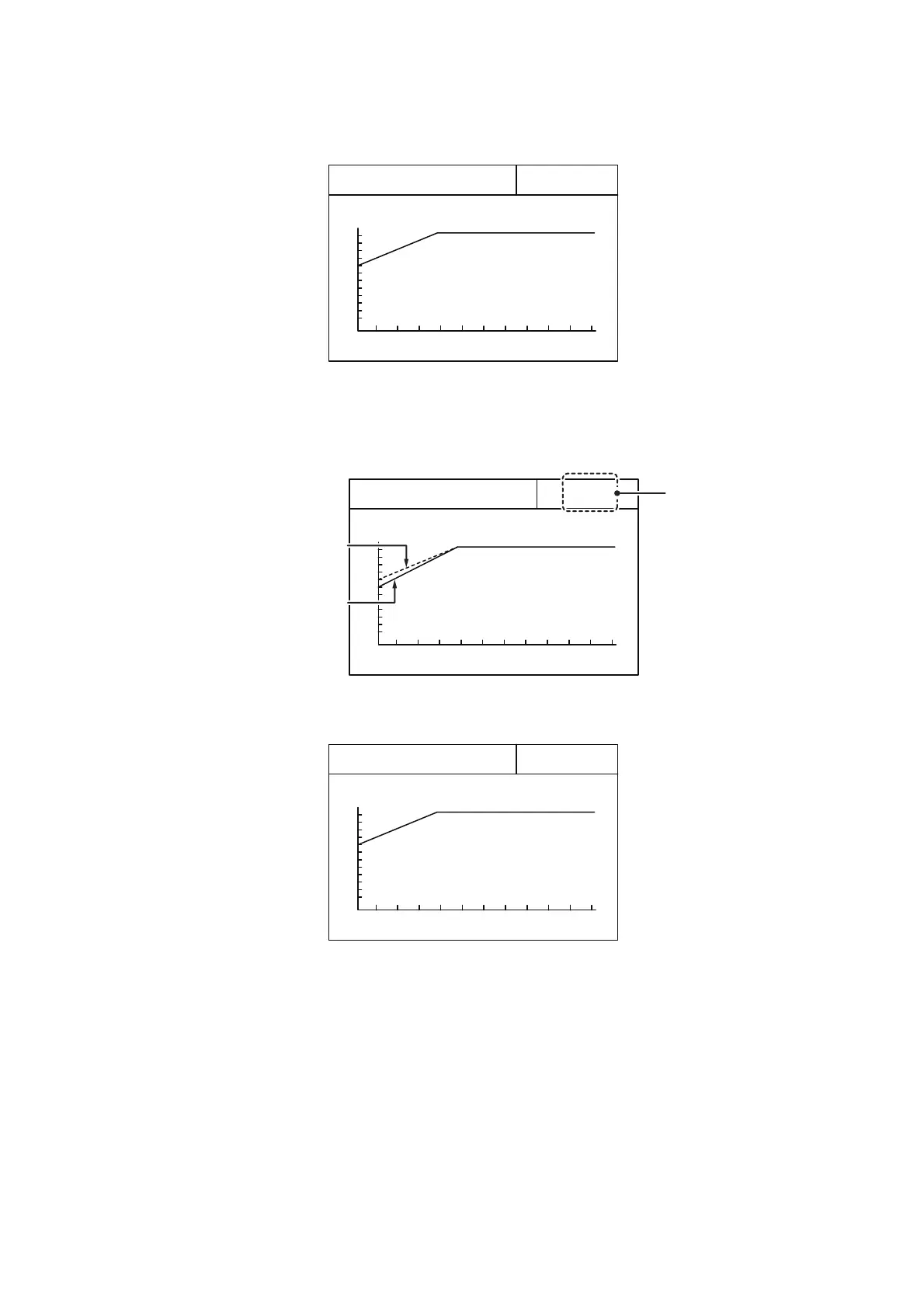
5. Press X or W to adjust the TVG level. Ideally, a setting between 2.0 and 5.0
should be sufficient. A larger setting reduces the gain over distance.
As the setting is adjusted, the current setting is shown in a dashed line and the
level indication changes to show the new setting.
6. Press T to select [TVG Distance] ([TVG Distance-LF]/[TVG Distance-HF] on CH-
600), then press X to show the [TVG Distance] settings.
7. Press X or W to adjust the TVG level.
Ideally a setting between 3.0 and 5.0 (130 m to 320 m) is sufficient.
200m
TVG Level
Gain
Hi
Lo
4. 0
Current setting
New setting
TVG Level
indication
changes to
show the
new setting.
200m
TVG Level
Gain
Hi
Lo
4. 0
200m
TVG Distance
Gain
Hi
Lo
4. 0


 To Next Page
 Loading...









