Performance Series IP Camera Software Configuration Guide
46
Parameter Function
User Name Enter the server user name.
Password Enter the server password.
Remote Directory
Create a name for the directory where recorded video and snapshots will
be stored.
Emergency (Local)
Enable Emergency (Local) to save to the local microSD card when the
network connection to FTP is unavailable.
Note This function is only supported by the following models:
H2W2PRV3/H2W4PRV3/HBW2PR2/HBW4PR2/HEW2PR2/HEW4PR2/
H4W2PRV2/ H4W4PRV2.
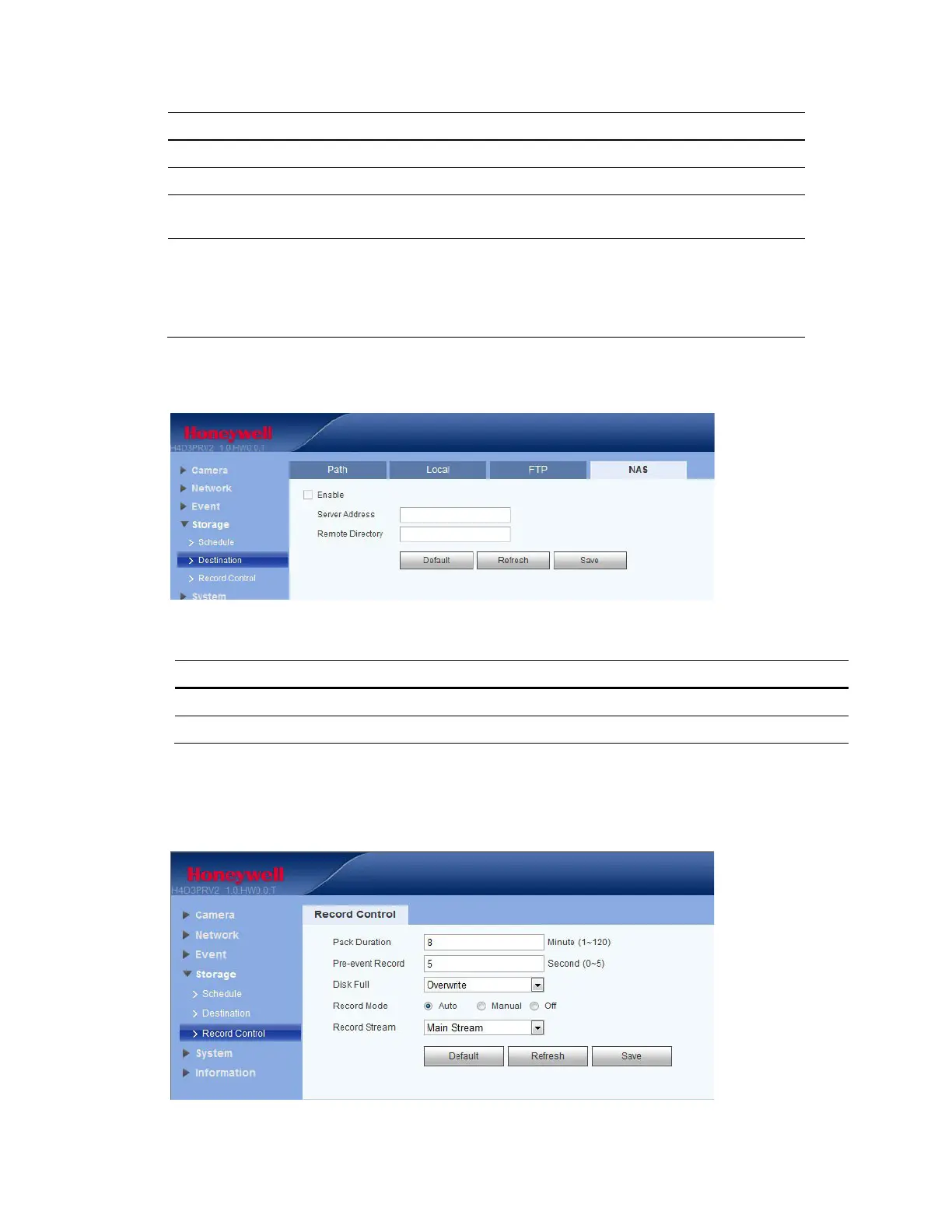
NAS
Figure 5-29 NAS Configuration Interface
Table 5-19 NAS Configurations
Parameter Function
Server Address Set the IP address of the server.
Remote Directory Set storage directory where recorded video and snapshots will be stored.
Record Control
Figure 5-30 Record Control Configuration Interface


 To Next Page
 Loading...