
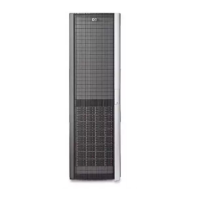

 To Next PageTo Next Page


 Need help?
Do you have a question about the HP 6100 and is the answer not in the manual?
Overview of the Enterprise Virtual Array's features and enhancements, including ease of management and performance.
Details the scalable capacity and disk drive limits for EVA8000/8100, EVA6000/6100, and EVA4000/4100 models.
Describes the three main components of the Enterprise Virtual Array: Hardware, HP Controller Software, and HP Command View EVA.
Illustrates the basic physical components and their arrangement within the storage system.
Details the storage system connections for EVA8000/8100, including controller, host, and fabric connections.
Explains the direct connect solution for lower-cost configurations, connecting controllers directly to hosts.
Procedure for setting a storage system password to restrict management access.
Information on installing HP Command View EVA on a management server.
Details the components of the Fibre Channel drive enclosure, including bays, I/O modules, and power supplies.
Describes the function and ports of the I/O modules, which interface between the drive enclosure and host controllers.
Explains the three status indicators for disk drive operational status.
Describes the function and operation of disk enclosure power supplies and blowers.
Illustrates the location and function of the EMU displays, controls, and connectors.
Explains how the EMU monitors enclosure operation and reports error conditions.
Details the HSV controller components, including their microprocessors, operator control panels, and ports.
Provides guidance on managing and configuring the storage system.
Procedure for changing array host port topology settings, such as from fabric to direct connect.
Describes the failback preference behavior for the HSV controllers.
Details the process for shutting down and starting the storage system using HP Command View EVA.
Explains how to add new disk drives to increase storage capacity and guidelines for installation.
Covers the installation of Fibre Channel adapters (FCAs) required for host server communication with the EVA.
Procedure for adding hosts and their Fibre Channel adapters (FCAs) using HP Command View EVA.
Specific instructions for configuring application servers on HP-UX, including scanning the bus.
Details for configuring Linux servers, including driver failover modes and installation.
Instructions for configuring OpenVMS servers, including updating firmware and adding hosts.
Guidance on configuring Sun Solaris servers, including loading OS and configuring FCAs.
Steps for configuring VMware ESX servers, including loading NVRAM and setting multipathing policies.
Provides essential information for successfully replacing hardware components on the storage system.
Steps to verify component failure and detect additional hardware problems before replacement.
Detailed instructions and precautions for replacing failed components, including ESD protection.
Information on how to contact HP for worldwide technical support and required information.
Explains document conventions, symbols, and warnings used throughout the manual.
Details compliance with FCC rules for Class A digital devices regarding radio frequency interference.
Defines the physical, environmental, and power specifications for EVA 4x00/6x00/8x00 systems.
Lists the operating and shipping environmental requirements for optimal product operation.
Details the AC input voltage and power requirements for Enterprise storage system racks.
Explains the format of EMU condition reports, including element type, number, and error code.
Defines disk drive error codes and corrective actions for EMU-generated reports.
Details power supply error codes and corrective actions for EMU-generated reports.
Covers EMU-specific error conditions, including internal clock errors and hardware failures.
Explains the Termination Event display for diagnosing and correcting system problems.
Describes how to display and analyze termination codes on the OCP LCD display.
Guides on understanding fault codes and information provided by HP Command View EVA.
Information on requirements for installing EVA systems in non-standard racks.
Details cabinet CG dimensions and component CG measurements for rack installation.
Details product environmental and operating specifications, including power requirements.
Lists product operating shock and vibration specifications for system component protection.
Overview of connecting servers with single path HBAs to the EVA storage system.
Requirements, risks, and limitations for HP-UX single path HBA server configurations.
Requirements, risks, and limitations for Sun Solaris single path HBA server configurations.
Requirements, risks, and limitations for VMware single path HBA server configurations.
Details failure scenarios and their effects for various operating systems.





 General