64
HP Photosmart E327 User Guide
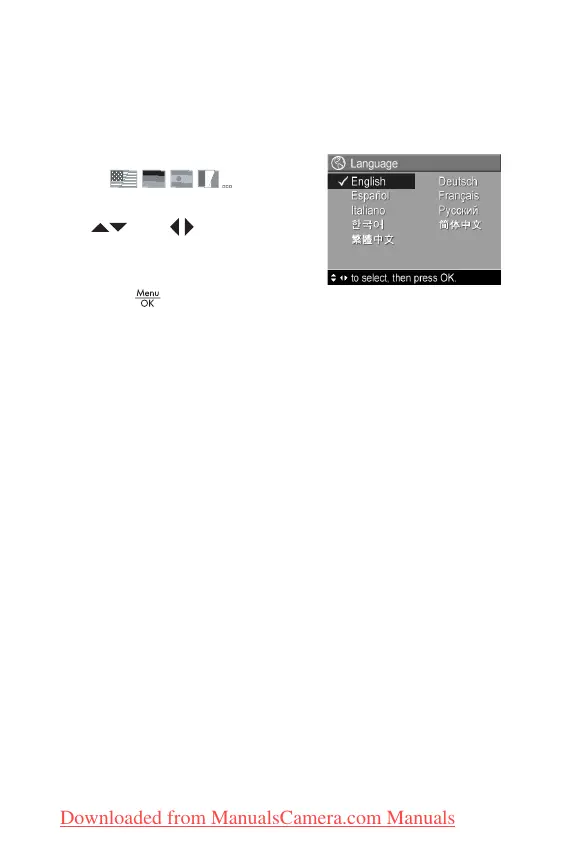
Language
This setting allows you to set the language used in the
camera interface, such as the text in menus.
1. In the Setup Menu (page 59),
select .
2. In the Language sub-menu, use
the and buttons to
highlight the language you want
to use.
3. Press the button to save the
setting and return to the Setup Menu.
The new setting remains in effect until it is changed again,
even when you turn the camera off.
Downloaded from ManualsCamera.com Manuals


 To Next Page
 Loading...