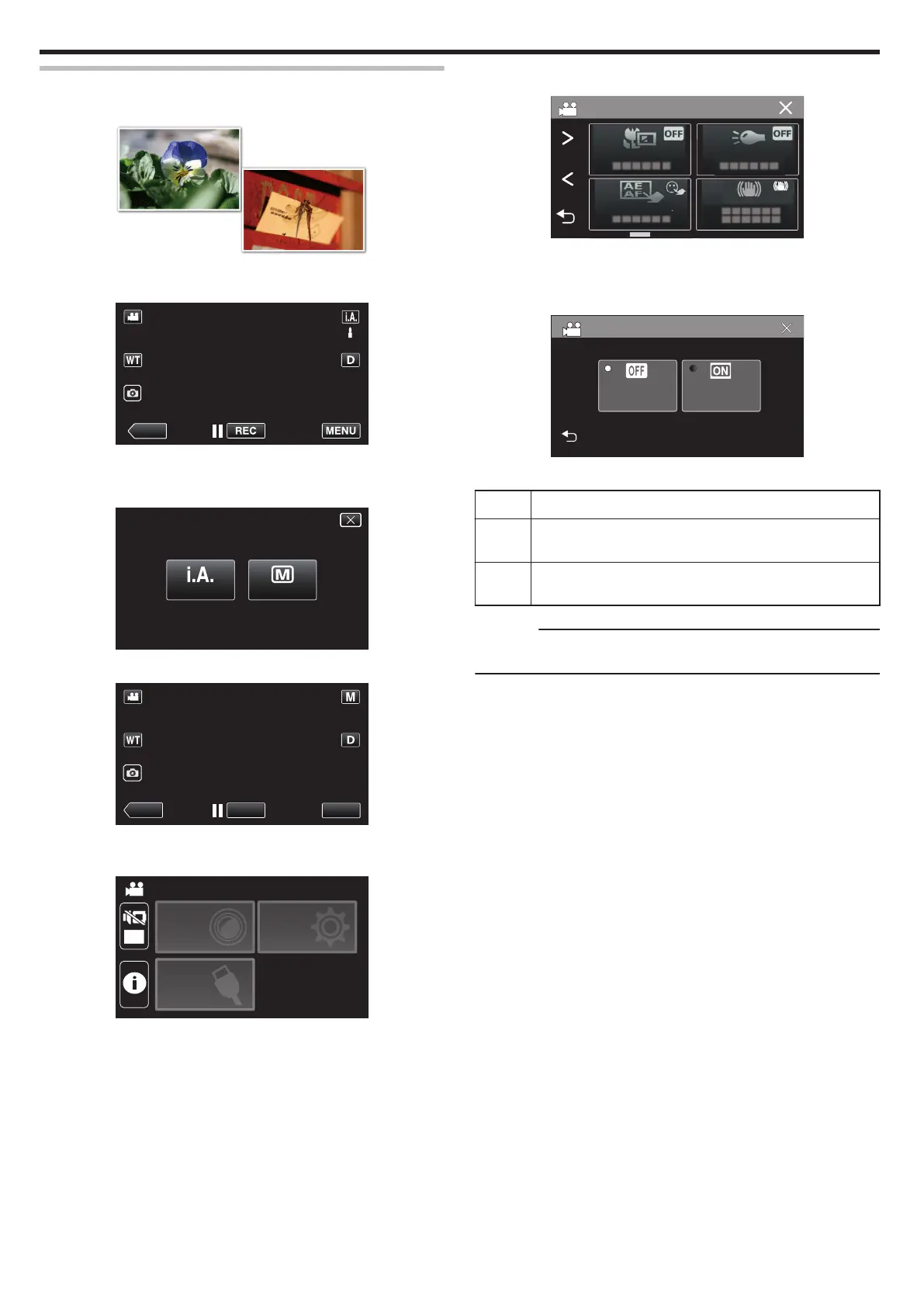
Taking Close-up Shots (TELE MACRO)
You can take close-up shots of an object using the tele macro function even
when the unit is at the telephoto zoom setting.
.
*The image is only an impression.
1
Select the Manual recording mode.
.
0
If the mode is P Intelligent Auto, tap P on the recording screen
to display the mode switching screen.
Tap H to switch the recording mode to Manual.
.
2
Tap “MENU”.
.
0
The top menu appears.
3
Tap “RECORD SETTING”.
.
OFF
TOP MENU
SETUP
CONNECTION
SETTING
RECORD
SETTINGS
4
Tap “TELE MACRO”.
.
0
Tap L to exit the menu.
0
Tap J to return to the previous screen.
5
Tap “ON”.
.
0
After setting, the tele macro icon o
appears.
Setting Details
OFF Enables close-up shots up to 1 m at the telephoto (T) end.
Enables close-up shots up to 5 cm at the wide angle (W) end.
ON Enables close-up shots up to 60 cm at the telephoto (T) end.
Enables close-up shots up to 5 cm at the wide angle (W) end.
Caution :
0
When you are not taking close-up shots, set “TELE MACRO” to “OFF”.
Otherwise, the image may be blur.
Recording
32


 To Next Page
 Loading...