39
ENGLISH
Checking SMS reception
If the mobile phone is compatible with SMS (Short
Message Service), the unit tells you a message has
been received.
15:45
SOURCE
CD
Receiving Message
To read a received message, operate the mobile
phone after stopping the car in a safe place.
• You cannot read, edit, or send a message through
the unit.
Name and phone
number (if acquired)
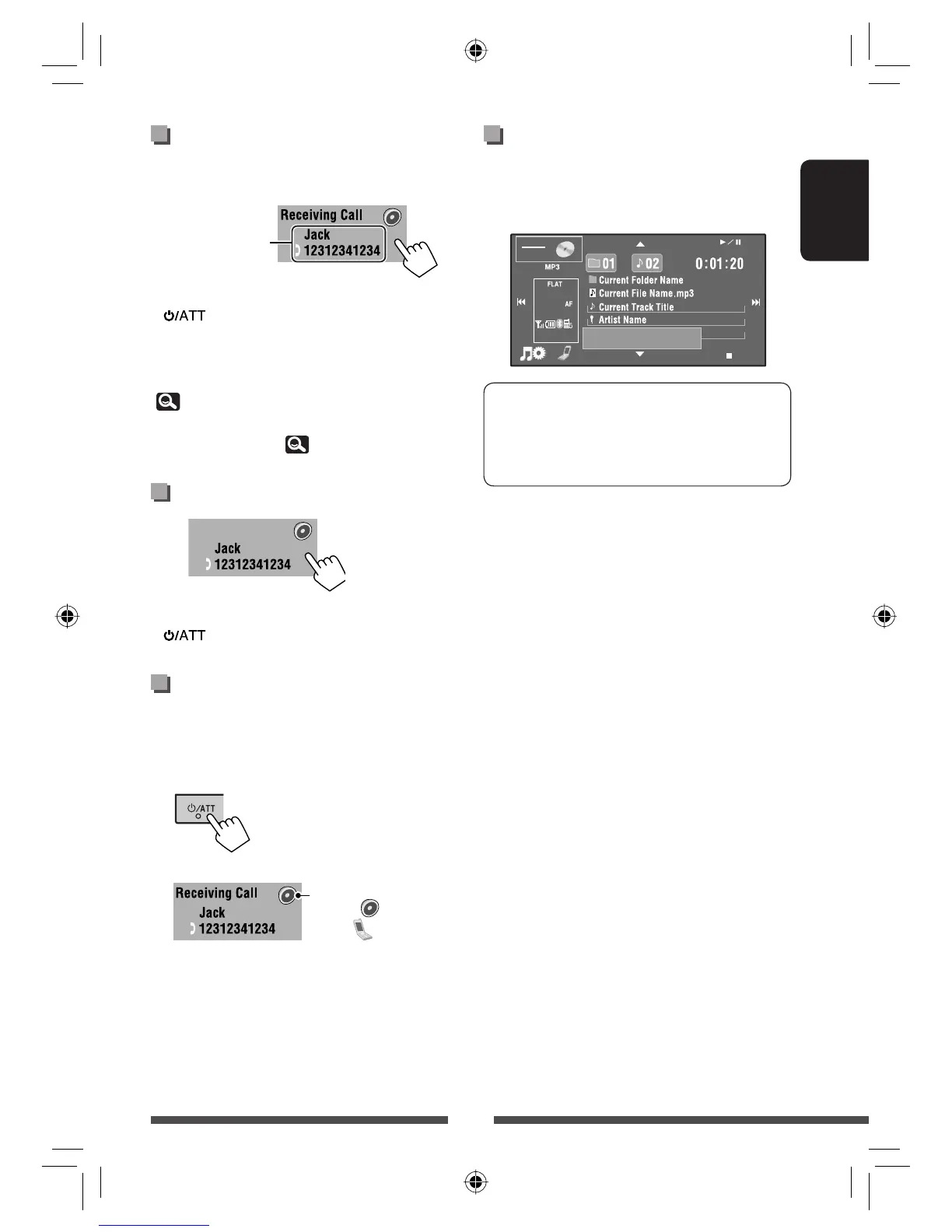
Receiving a call
When a call comes in...
The source is changed to “
Bluetooth
” automatically.
• Pressing any button on the monitor panel (except
and VOL +/–) also receives a call.
When <Auto Answer> is activated...
The unit answers the incoming call automatically.
(
43)
• You can adjust the phone volume and the
microphone volume. (
43)
Ending the call
• Holding any button on the monitor panel (except
and VOL +/–) also ends a call.
Switching conversation
media (the unit/mobile
phone)
During a phone call conversation...
Then, continue your conversation using the selected
media.
Talking...
(Hold)
Each time you press the
button, the conversation
media alternates between
the unit (
) and mobile
phone (
).
EN_KW-AVX830[E].indb 39EN_KW-AVX830[E].indb 39 10.1.19 3:09:38 PM10.1.19 3:09:38 PM


 To Next Page
 Loading...