3: Operation Model 2001-TCSCAN Scanner Card
3-4 2001-TCSCAN-900-01 Rev. A / April 2018
Controlling channels using the remote interface
Use the SCPI command :SENSE:FUNC to program functions for the selected channels. For TSP, use
the command channel.setdmm(). For example, to measure DC volts on channel 1, AC volts on
channel 2, and 2-wire resistance on channel 3, you would use the following SCPI commands:
:SENS:FUNC "VOLT:DC", (@1)
:SENS:FUNC "VOLT:AC", (@2)
:SENS:FUNC "RES", (@3)
The TSP equivalent for the above commands are:
channel.setdmm("1", dmm.ATTR_MEAS_FUNCTION, dmm.FUNC_DC_VOLTAGE)
channel.setdmm("2", dmm.ATTR_MEAS_FUNCTION, dmm.FUNC_AC_VOLTAGE)
channel.setdmm("3", dmm.ATTR_MEAS_FUNCTION, dmm.FUNC_RESISTANCE)
To use the same function (DCV in this example) on all three channels, use a single SCPI command
like the following example:
:SENS:FUNC "VOLT:DC", (@1:3)
The TSP equivalent for the above command is:
channel.setdmm("1:3", dmm.ATTR_MEAS_FUNCTION, dmm.FUNC_DC_VOLTAGE)
Building a scan
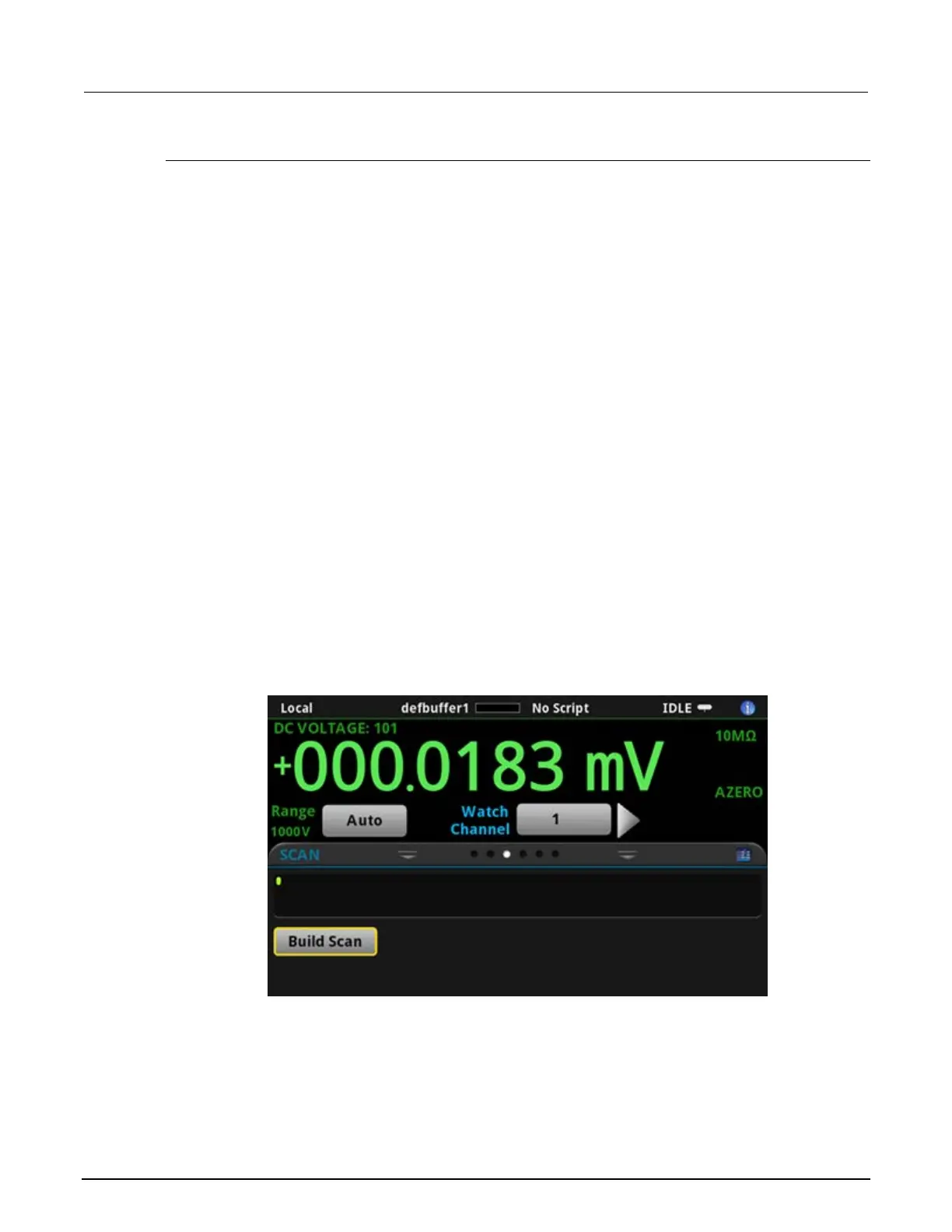
Front panel scan controls are located on the SCAN swipe screen. Select BUILD SCAN to build a
scan. If a scan is already configured, select the icon on the top right of the SCAN swipe screen to
access the Scan menu.
Figure 14: DMM6500 SCAN swipe screen


 To Next Page
 Loading...