Basic Functions
OPERATION GUIDE 4-17
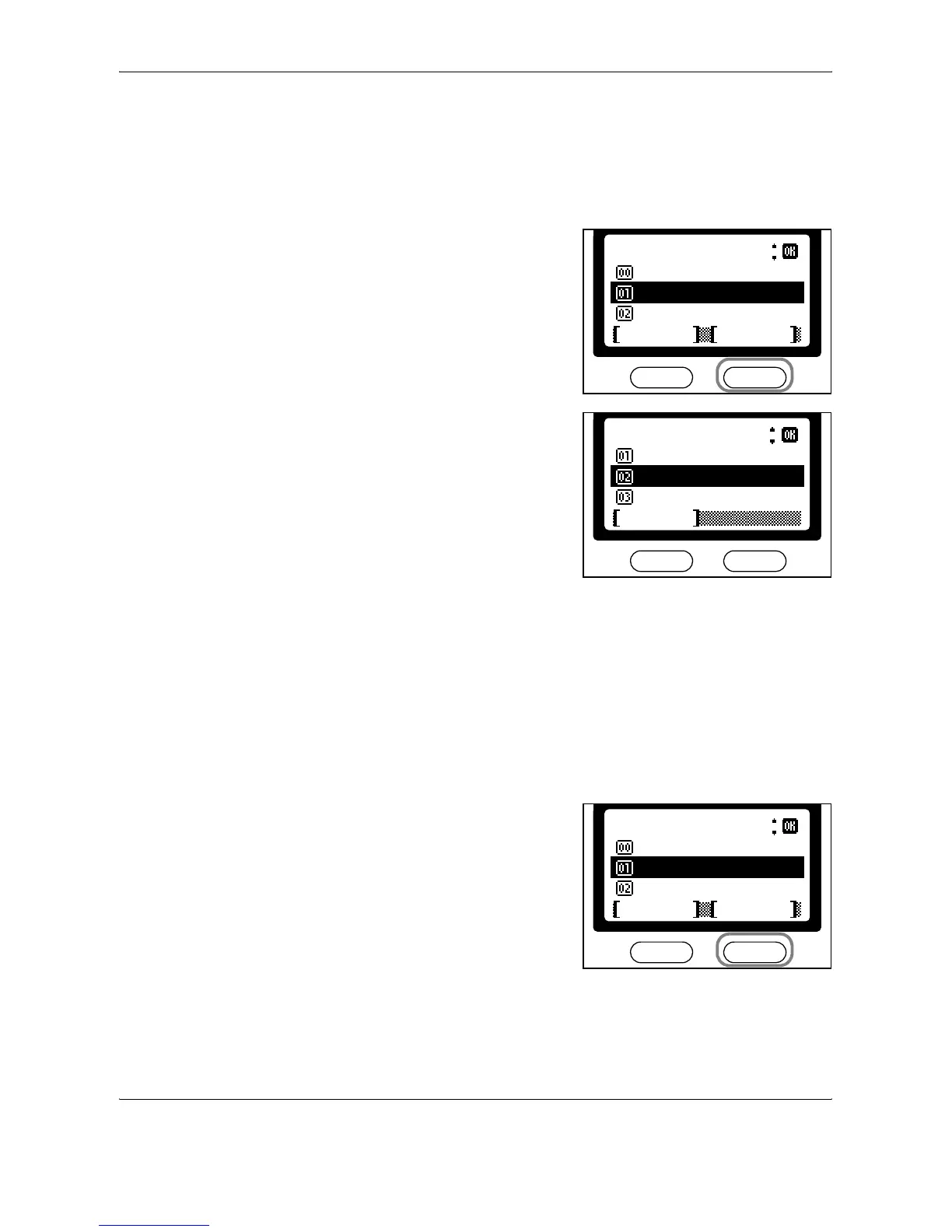
Checking Details of Assigned Keys
Perform the following procedure to check destinations assigned to one-
touch keys.
1
Follow steps 1 to 3 in Assigning Destinations on page 4-15.
2
Press S or T to select the one-
touch key to check (1-8). Press
right Select.
3
Press S or T to select Detail.
Press Enter.
4
After checking the details, press Enter.
5
Press left Select to return to the basic screen.
Clearing Assigned Keys
Perform the following procedure to clear destinations assigned to one-
touch keys.
1
Follow steps 1 to 3 in Assigning Destinations on page 4-15.
2
Press S or T to select the one-
touch key to clear (1-8). Press
right Select.
*
One Touch Keys
Key2
Key1
Back
Exit Menu
:
*
Menu
Cancel
Delete
Register
Detail
:
*
One Touch Keys
Key2
Key1
Back
Exit Menu
:


 To Next Page
 Loading...