47
– Tap to delete the photo.
Menu Key
- Tap to access Set image
as, Move, Copy, Copy to Clip Tray,
Rename, Rotate left, Rotate right, Crop,
Slideshow, Add location, Print and
Details.
%
TIP
If you have a social networking account
and set it up on your phone, you can
share your photo with your social
networking community.
%
NOTE
Additional charges may apply when
multimedia messages are downloaded
while roaming.
Setting a photo as the wallpaper
1 Tap the photo you want to set as
wallpaper to open it.
2 Tap the Menu Key
> Set image as
> Home screen wallpaper.
3 Crop the image as desired and tap Yes.
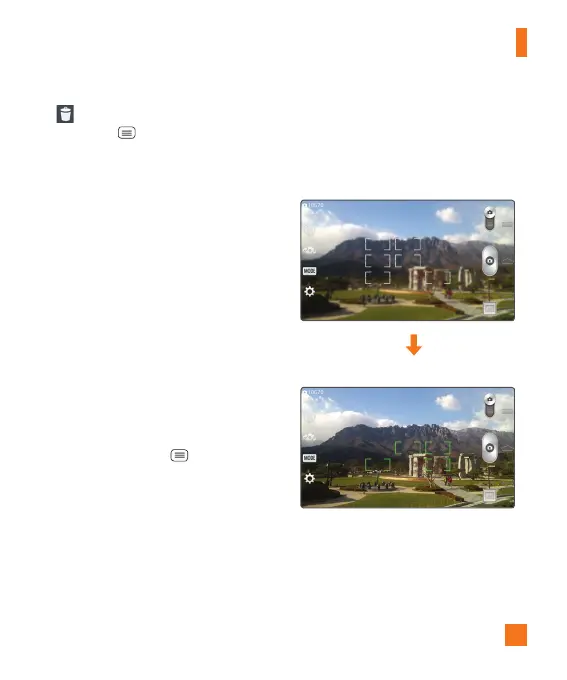
Multi-point Auto Focus
When you take a picture, the Multi-
point Auto Focus (AF) function operates
automatically and will allow you to see a
clear image.
%
NOTE
When Multi-point AF is active, the
focus box will change to a green color.
Camera


 To Next Page
 Loading...