67
SMARTSHARE
ToSetSmartShare™RelatedFunctions
Select (Home) → SMARTSHARE™ → Settings.
Changes settings related to SmartShare™ content playback.
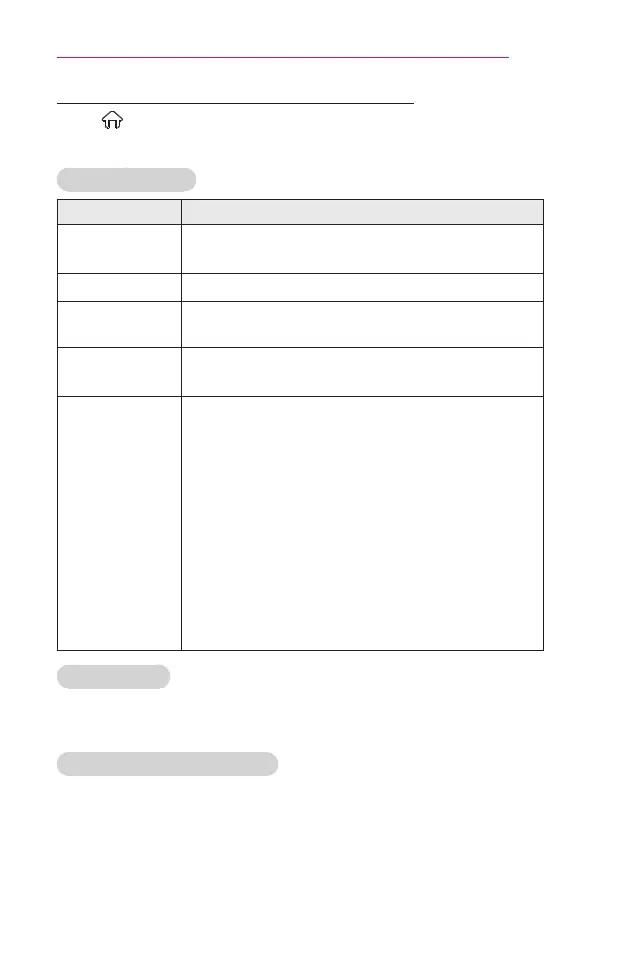
AdvancedSetting
Item Description
MyProjector
Name
Changes the name that appears when searching for
the projector from other devices.
NetworkStatus Checks the network connection.
Wi-FiDirect
Allows use of wireless connection functions such as
Wi-Fi Direct and WiDi.
AutoPlayon
Receive
Choosing whether to ask before playing the content
that is shared by other devices.
DivX(R)VOD
Registers or releases DivX.
Checks DivX Registration Code for playing DivX-
protected videos. Register at http://vod.divx.com.
Uses Registration Code to rent or purchase movies
at www.divx.com/vod.
• Rented / purchased DivX files cannot be played
if the DivX Registration Code of a different device
is used. Use only the DivX Registration Code
granted to this device.
• Converted files not conforming to the DivX Codec
Standard may not play or may produce abnormal
images and sound.
DeleteHistory
• To delete contents history, press DeleteHistory button. Use the
contents at Recent menu.
SmartShare™supportingfile
• Maximum data transfer rate: 20 Mbps (Mega bit per second)
• External subtitle formats supported: *.smi, *.srt, *.sub (MicroDVD,
SubViewer 1.0/2.0), *.ass, *.ssa, *.txt (TMPlayer), *.psb (PowerDivX),
*.dcs (DLP Cinema)
• Internal subtitle formats supported: XSUB (supports internal subtitles
generated from DivX6)


 To Next Page
 Loading...










