18 Getting to know your phone
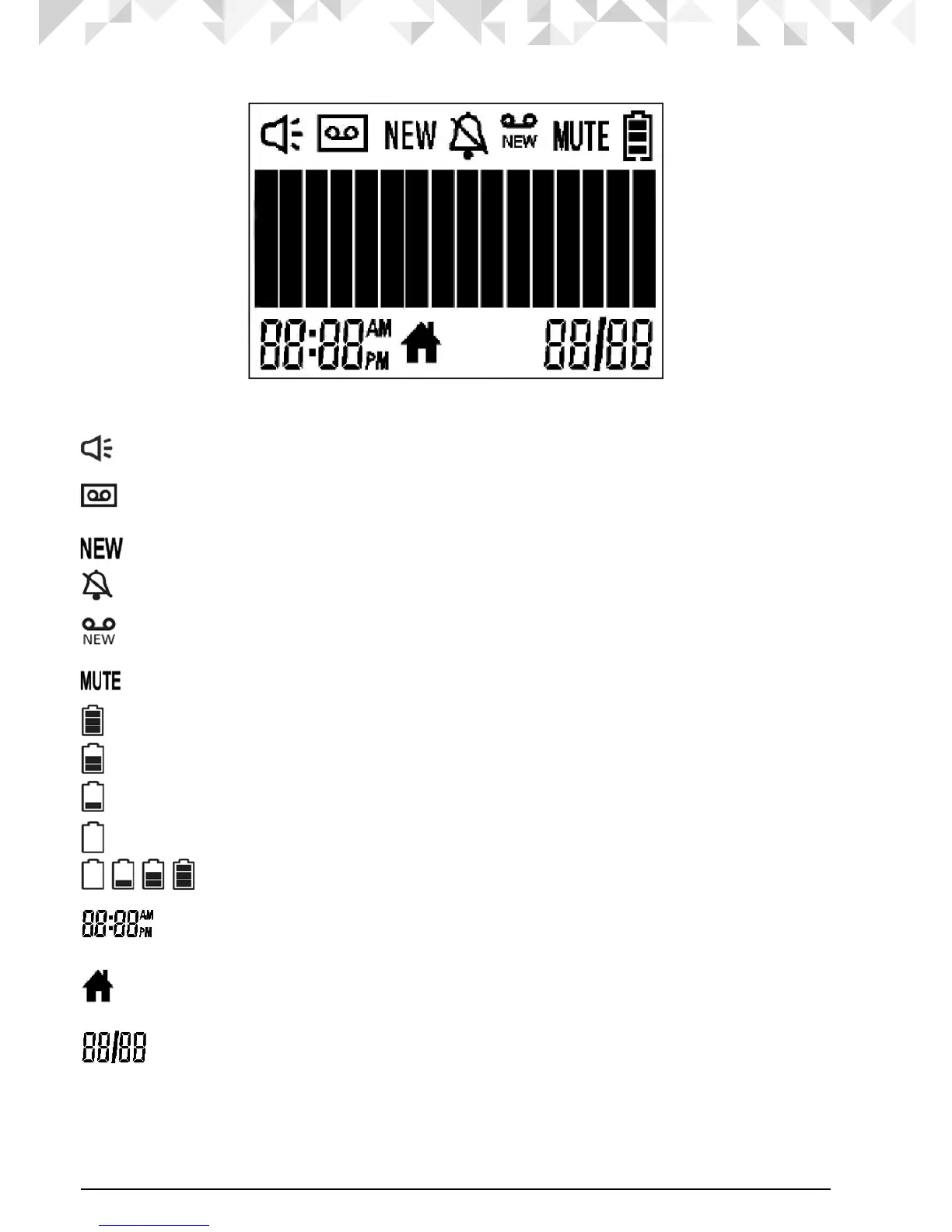
Cordless handset LCD display
Display icons
On when the speakerphone is turned on.
On when the answering machine is turned on.
Flashes when a new answering machine message is received.
On when a new call has been received.
On when the ringer volume is turned off.
On when a new voice mail message is received, if a voice mail service is being
used (Requires Voice Mail subscription).
On when a call is muted.
Full battery power level.
2/3 battery power level.
1/3 battery power level.
Flashes when low battery level is detected and battery needs charging.
Internal bars cycling indicates that the battery is charging.
In idle mode, the current time is displayed.
In Caller ID mode, the time of call is displayed.
On when the line is in use.
Flashes when the line is put on hold.
In idle mode the current date is displayed.
In Caller ID mode, the date of the call is displayed.


 To Next Page
 Loading...











