If Beep is enabled, the camera will let you know when you
have focused successfully in Single-servo Autofocus (AF-S)
by beeping once. It does not beep in Continuous-servo
Autofocus (AF-C) since it would be beeping constantly as the
focus adjusts to the subject. Also, if you have Custom setting
a2 > AF-S priority selection configured to Release priority,
the beep will not sound for autofocus in AF-S.
When Beep is active, you’ll see a little musical note displayed
in the top Control panel and also in the Information display.
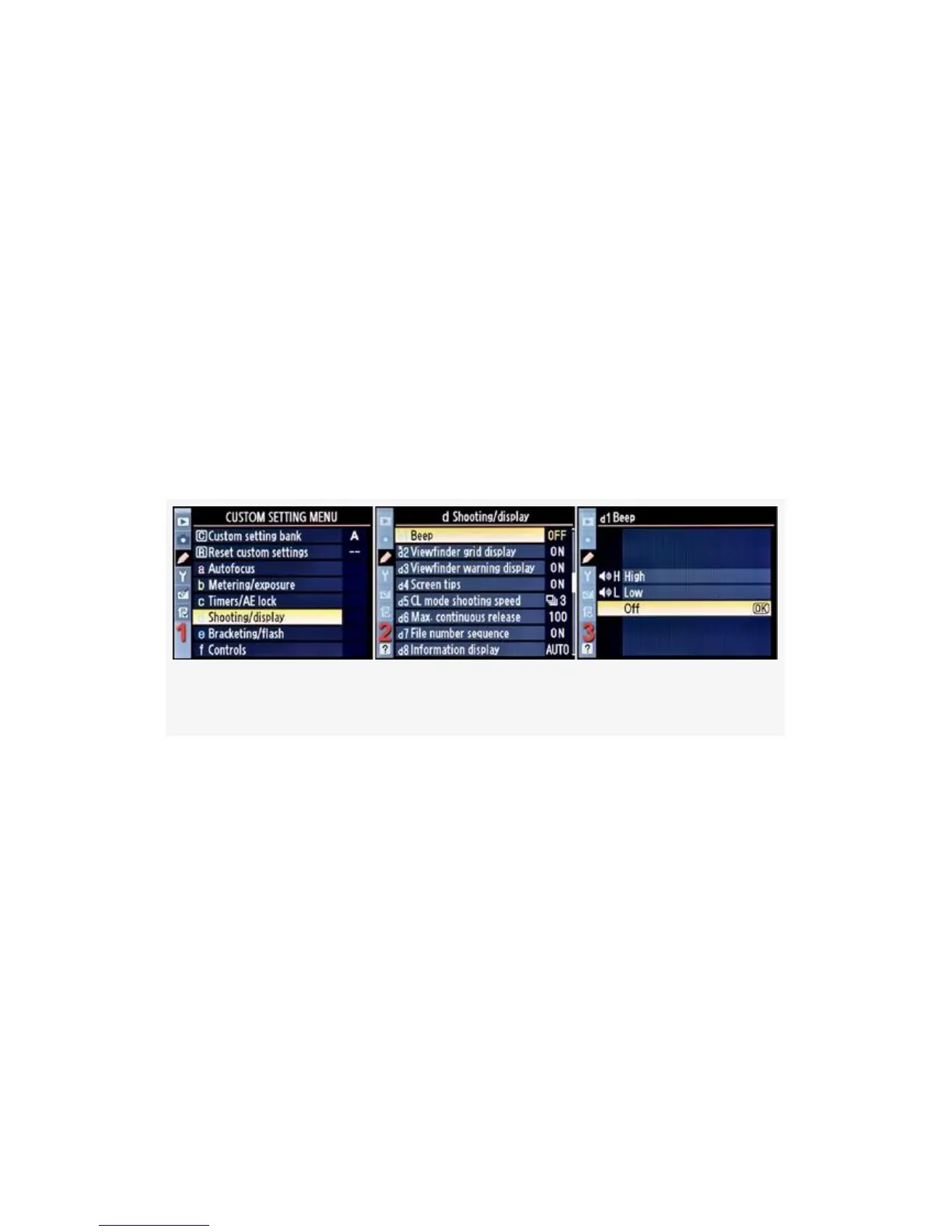
Here are the screens and steps used to select one of Beep’s
three choices (see Figure 4-31):
Figure 4-31. Beep
1. Select d Shooting/display from the Custom Setting Menu
and scroll to the right (see Figure 4-31, image 1).
2. Highlight Beep and scroll to the right (see Figure 4-31,
image 2).
3. Choose one of the three choices on the list. In
Figure 4-31, image 3, Off has been selected.
4. Press the OK button to lock in the setting.
317


 To Next Page
 Loading...











