7170
TTL Auto Flash Mode: For F-401/N4004 and F-401s/N4004s Users
Chapter
3
Choosing A Flash Method
The SB-25 can be used in the same manner as the cam-
era’s built-in TTL flash, but offers more powerful light output
and a greater shooting distance range.
The SB-25’s setting takes full advantage of the
F-401/N4004 and F-401s/N4004s’ multi-sensor metering
system for flash photography.
Is the scene “bright” or “dark,” and which is brighter —
the subject or background? The algorithm in the metering
system checks the amount of light based on these ques-
tions, and the camera asks through the viewfinder whether
you choose to use the flash or not.
In any case, if you decide to use the flash, the camera
automatically sets the most appropriate flash method for
your shooting situation: Programmed TTL Auto Flash or
Standard TTL Flash.
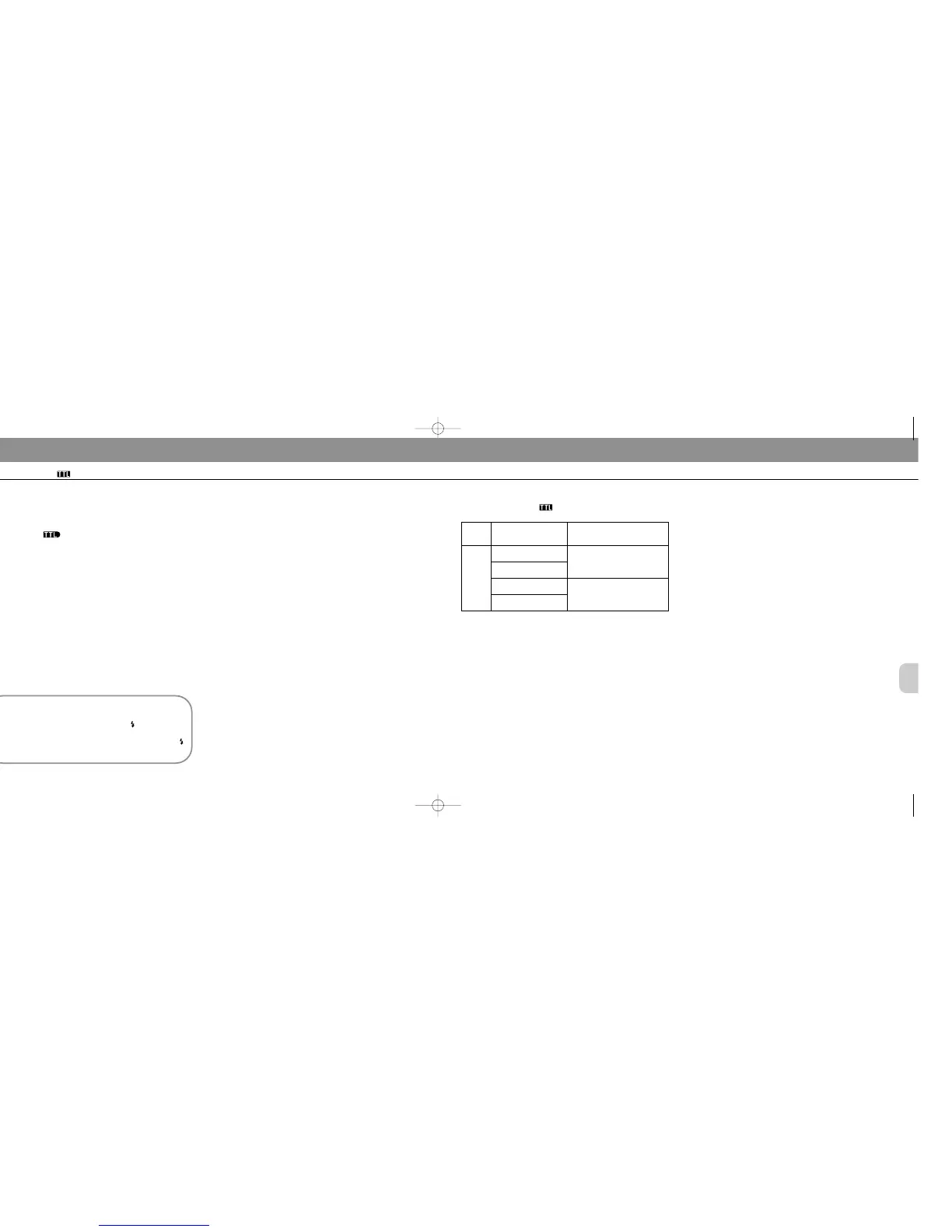
Use the chart in the next page to confirm available
flash/exposure mode combinations.
Viewfinder prompt: Use flash or not
When the SB-25 is attached to the camera but turned
off, the camera’s viewfinder ready-light blinks to sug-
gest you use a flash. You can reject or ignore the
prompt simply by leaving the SB-25’s power off (
continues blinking).
Programmed TTL Auto Flash
When light is low and the flash is needed, the camera asks
you to confirm whether you wish to use the flash. If you
decide to use it in programmed auto or shutter-priority
exposure mode, the right aperture and shutter speed are
automatically selected by the camera. Flash output is con-
trolled by the Speedlight to correctly expose the subject.
Standard TTL Flash
When using aperture-priority auto or manual exposure
mode, you will be asked to confirm flash use, the same as
above. Flash output is controlled by the Speedlight for a
correctly exposed subject. Shutter-speed and/or aperture
setting(s) can be selected by the user.
Set Up and Practice
When camera is set at programmed auto (A/S) or shutter-
priority auto (S) exposure mode, it automatically switches
into Programmed TTL Auto Flash.
Before proceeding, be sure to:
✗ ATTACH SPEEDLIGHT TO CAMERA.
✗ TURN ON BOTH SPEEDLIGHT AND CAMERA.
✗ SET LENS TO MINIMUM APERTURE (HIGHEST F-
NUMBER).
✗ USE FILM WITH A SPEED BETWEEN ISO 25 AND ISO
400.
✗ USE AN AF NIKKOR LENS (including the latest D-Type
Lens, but excluding AF Nikkor 80mm f/2.8, 200mm f/3.5
IF-ED and Autofocus Converters TC-16/TC-16A).
1) Suitable lenses and use depend on the camera; see instruction manual for
information.
2) Except AF lenses for F3AF cameras.
For Programmed TTL Auto Flash, use only AF Nikkor lenses (including latest
D-Type), except AF Nikkor 80mm f/2.8, 200mm f/3.5 IF-ED and Autofocus
Converter TC-16/TC-16A.
TTL Auto flash mode with F-401/N4004 and
F-401s/N4004s
Lens in
Use
1)
AF
Nikkor
lenses
2)
AI-P
lenses
Camera’s Exposure
Mode
Programmed auto
(A/S)
Shutter-priority auto
(S)
Aperture-priority auto
(A)
SB-25 Flash
Programmed TTL Auto Flash
Standard TTL Flash
Manual (M)
SB-25_En 03.1.14 8:18 PM Page 70


 To Next Page
 Loading...