Input Search
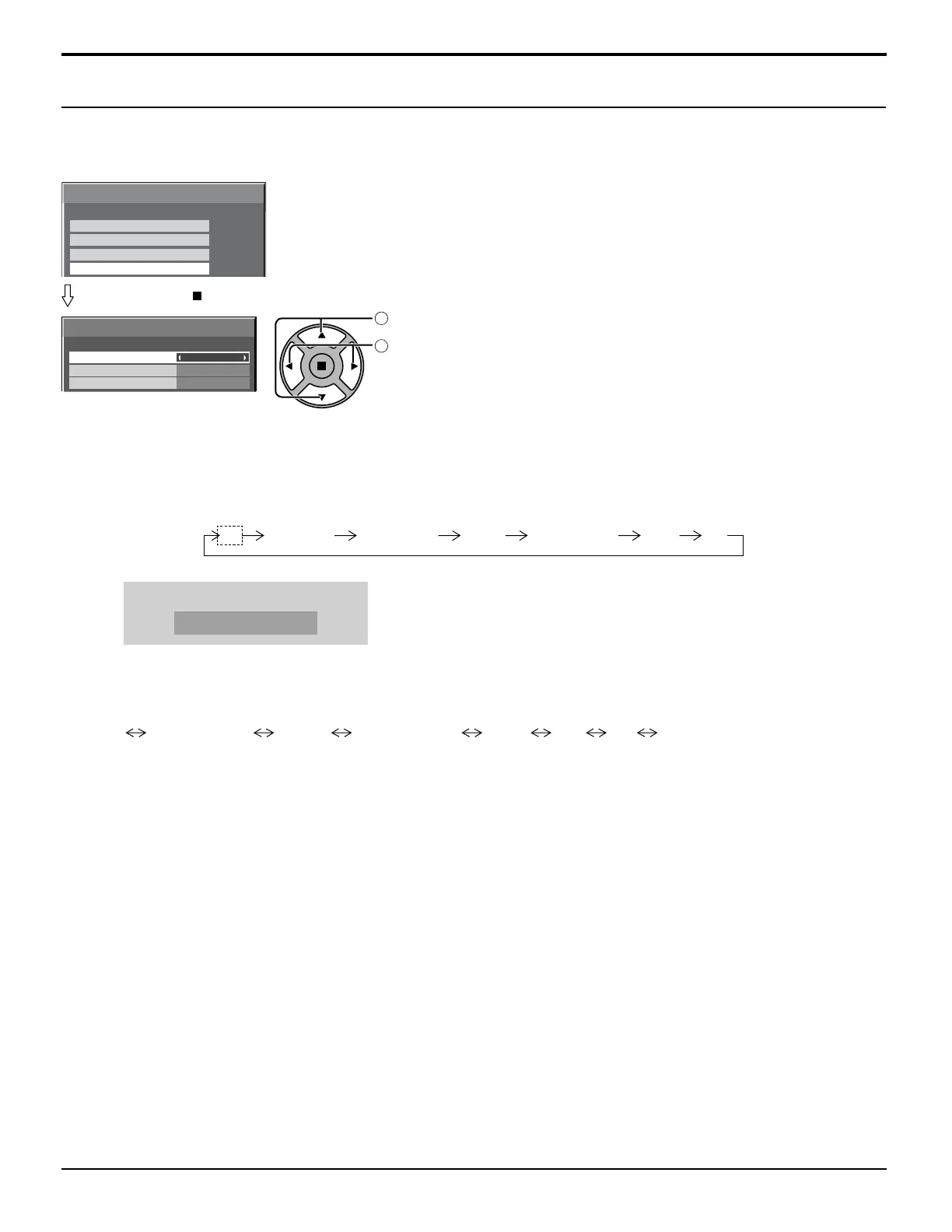
Primary Input
Off
Secondary Input
Input Search
SEARCHING...
59
Press ACTION ( ) button
Input Search
Off: When there is no signal, the input is not switched automatically.
All Inputs: Searches all inputs and switches to an input with a signal.
Input search is executed in the following order.
(Example) When the current input is PC
PC VIDEO HDMI DVINETWORK COMPONENTSLOT INPUT
Priority: Searches “Primary Input” and “Secondary Input” in order and switches to an input with a signal.
Primary Input, Secondary Input
Set the input to search when “Priority” is selected.
(NONE) SLOT INPUT* VIDEO COMPONENT HDMI DVI PC NETWORK
* “SLOT INPUT” is displayed when an optional Terminal Board is installed.
When a Terminal Board with dual input terminals is installed, “SLOT INPUT A” and “SLOT INPUT B” are displayed.
Notes:
•
This menu is available only when “Input lock” is “Off”. (see page 53)
• If the input is changed by this function, the last input is selected when the power is turned on next time.
If you wish to retain the original input when the power is turned on, set “Initial input” to the original input. (see page 52)
“SEARCHING...” is displayed during the input search.
1
select
2
adjust
Options Adjustments
Input Search
When a signal is not detected, another input with a signal is automatically selected.
Options
Audio input select
Touch Panel settings
Input Search
1/3
Weekly Command Timer


 To Next Page
 Loading...