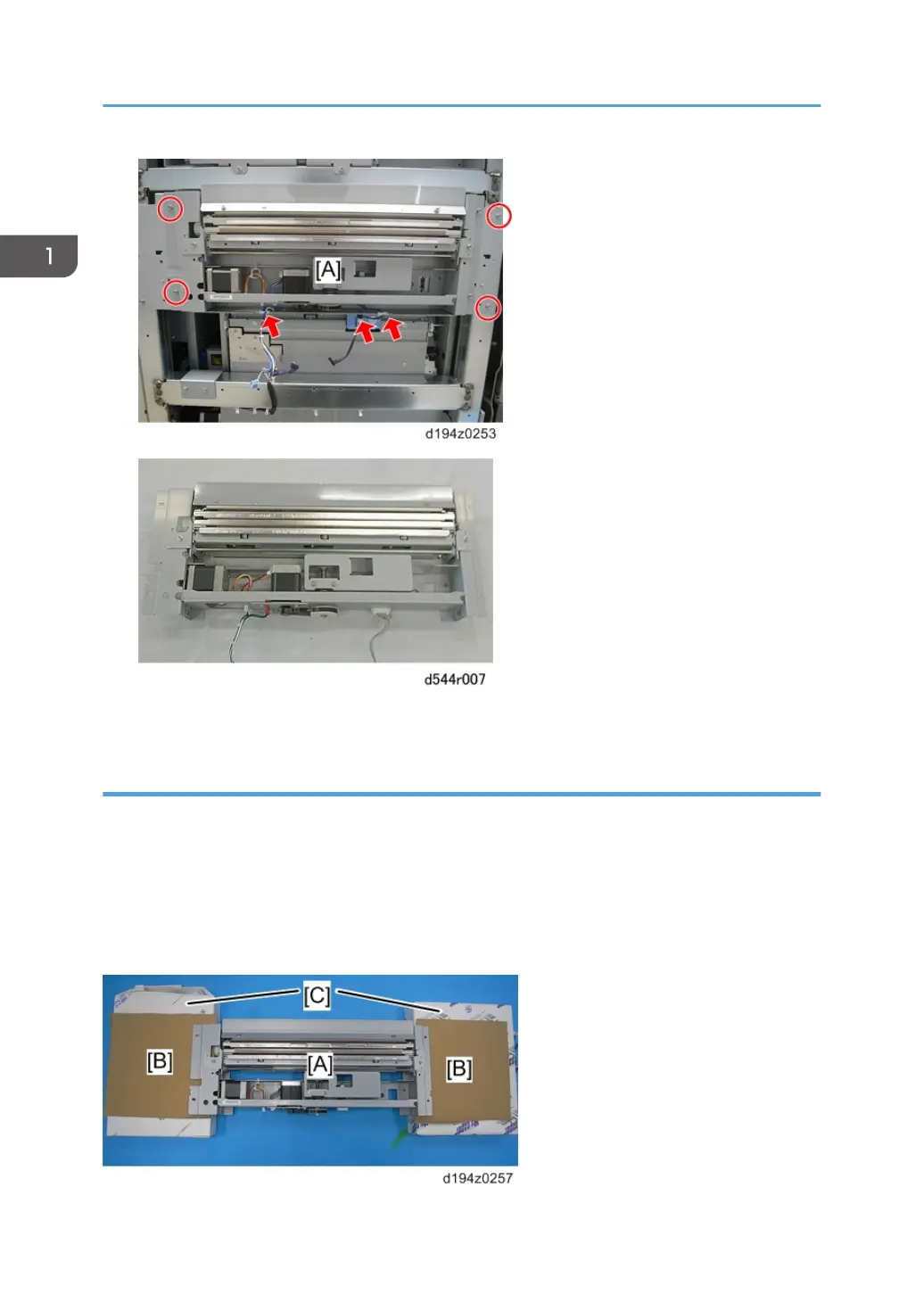
7. Keep the decurl unit in the “Maintenance Position” as described below.
Maintenance Position
Lay the decurler unit [A] on temporary supports [C] as shown below. The entrance guide of the decurl
unit must not touch the floor or any object. Otherwise, the sheets on the entrance gate may be bent or
folded.
•
Keep this position during maintenance.
• Place an object like a sheet of cardboard [B] on the supports so that the frame projection does not
damage the supports.
1. Replacement and Adjustment
8


 To Next Page
 Loading...





