Basic Operations 39
4. Follow the prompts.
Note: Your Google app purchases are reloaded remotely and can be re-installed after the update is
applied.
As an added precaution, to preserve any data on your microSD card, please unmount it from your phone
prior to starting the update process. From home, tap Apps > Settings > Storage > Unmount.
Update Your Phone’s Software
Once you have backed up all your data, use the Update now option to update your phone’s software.
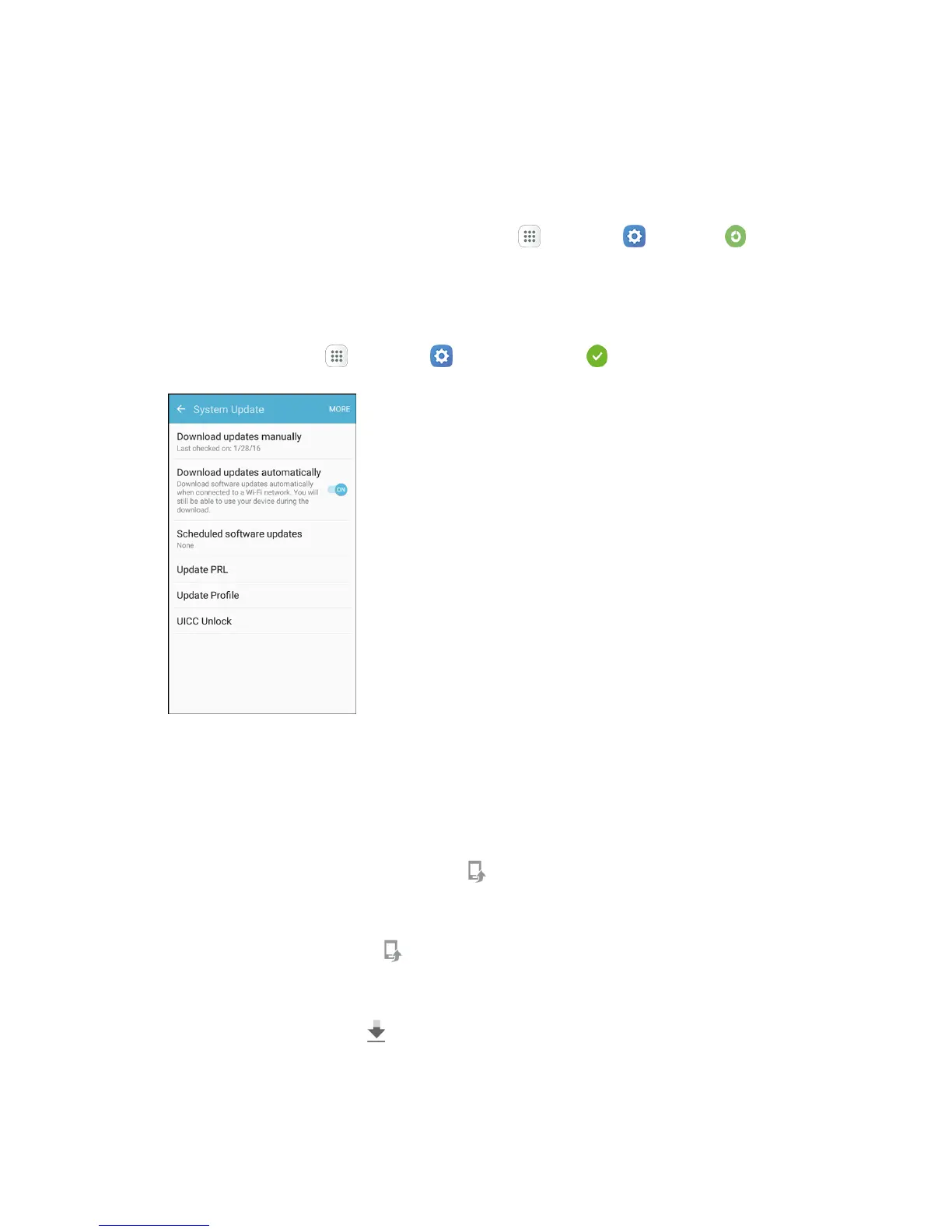
1. From home, tap Apps > Settings > System Update .
2. Tap Download updates manually.
Your phone automatically downloads and installs any available updates. You may be
required to power your phone off and back on to complete the software upgrade.
Alternatively, you can access system updates through the notification panel.
1. Locate the System update available icon ( ) in notifications.
2. Pull down the status bar.
3. Tap System update available to open the System Updates screen.
4. Tap Download and follow the prompts.
The Downloading icon ( ) appears within the status bar to indicate the phone is
downloading the necessary files.
5. Tap Restart and install to complete the process.


 To Next Page
 Loading...