Recording
32
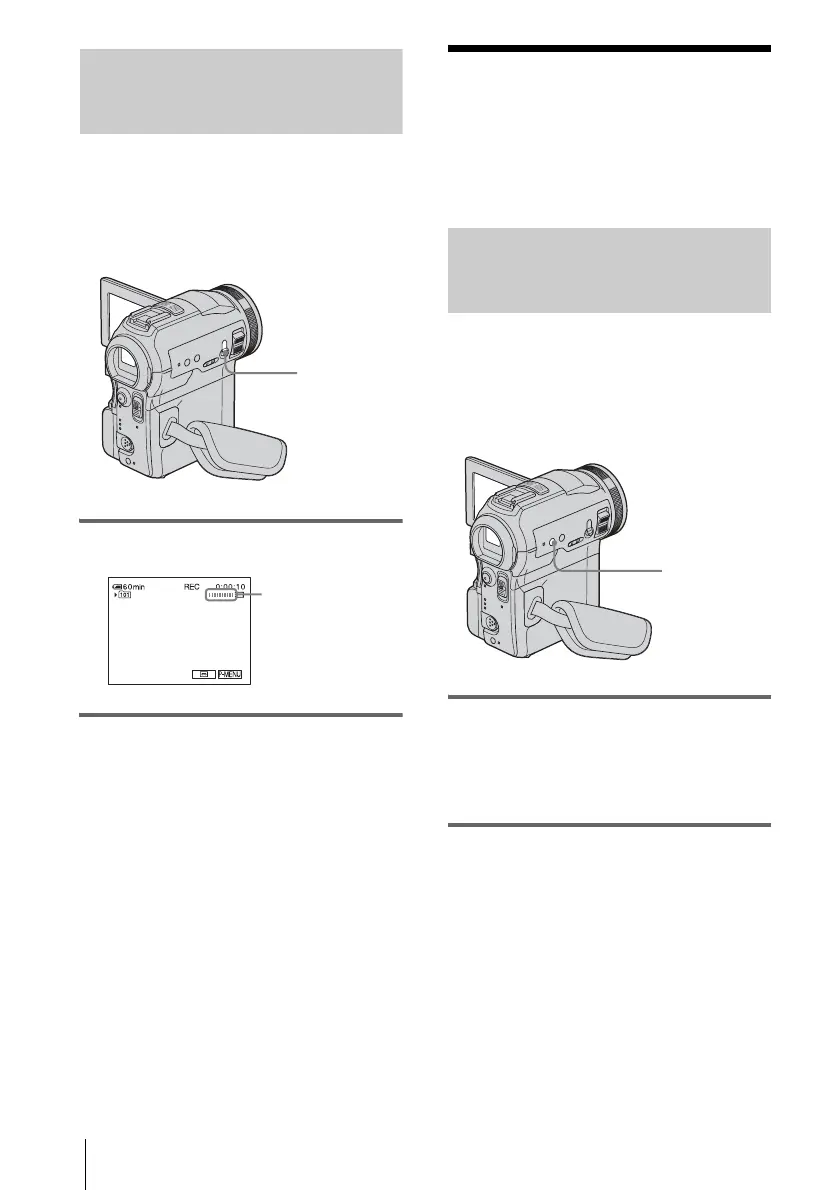
Recording a still image on a
“Memory Stick” while recording
movies on a tape
The image size is set to [640 × 480]. If you
want to record a still image in a different size,
use the Memory photo recording function
(p. 28).
Press PHOTO fully during tape recording.
To record still images in standby mode
Press and hold PHOTO lightly. Check the
image and press it fully.
b Notes
• You cannot record a still image on a “Memory
Stick” during the following operations:
– [16:9 WIDE] mode
– Progressive recording mode
– Memory overlap
– MEMORY MIX function
– [SMTH INT.REC] (Smooth interval tape
recording)
• Titles are not recorded on a “Memory Stick.”
Adjusting the
exposure
The exposure is adjusted automatically in the
default setting.
Adjusting the exposure for backlit
subjects
When your subject has its back to the sun or
other light, you can adjust the exposure to
prevent the subject from becoming
shadowed.
Press BACK LIGHT during recording or
in the standby mode.
. appears.
To cancel the back light function, press BACK
LIGHT again.
b Note
• The back light function is canceled when you set
[EXPOSURE] to [MANUAL] (p. 33) or select
[SPOT METER] (p. 33).
PHOTO
Recording is
complete when the
scrolling stops.
BACK LIGHT



 To Next Page
 Loading...











