Recording
44
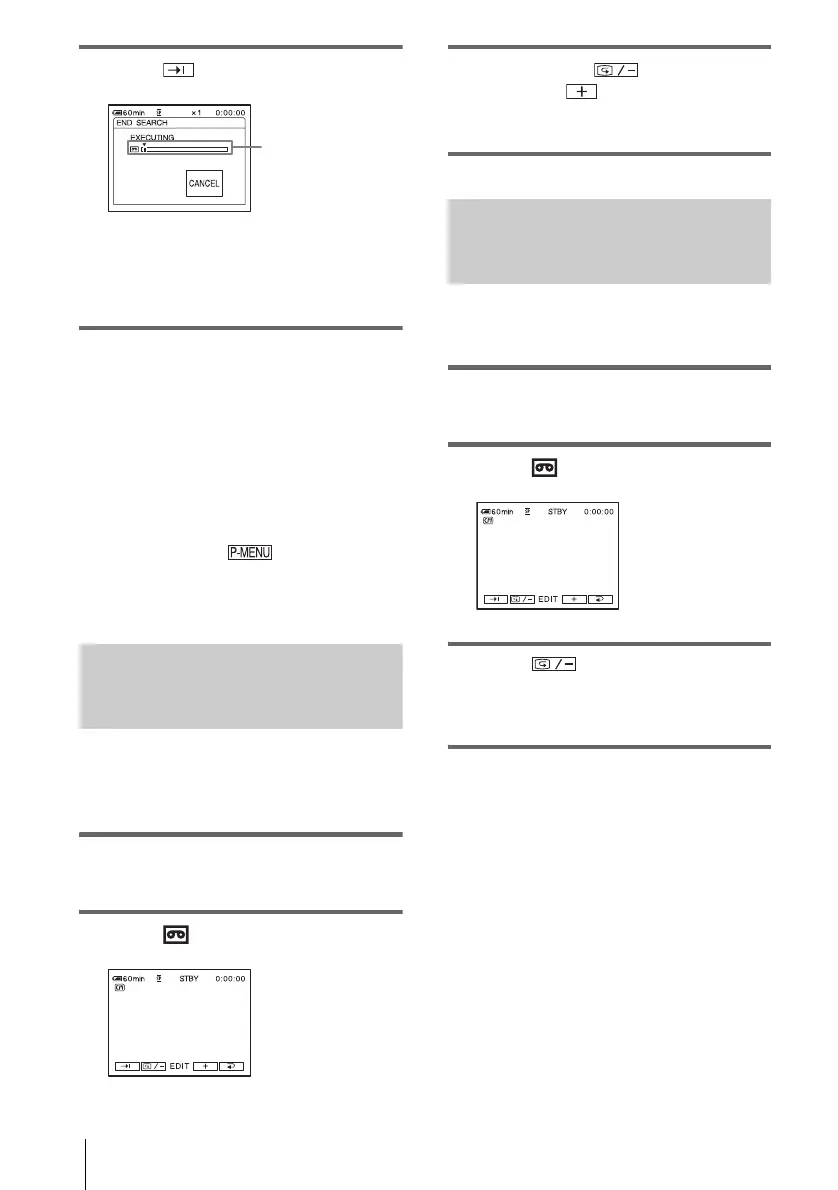
3 Touch .
The last scene of the most recent recording
is played back for about 5 seconds, and the
camcorder enters the standby mode at the
point where the last recording has finished.
To cancel the operation
Touch [CANCEL].
b Note
• The END SEARCH function will not work correctly
when there is a blank section between recorded
sections on the tape.
z Tips
• When PLAY/EDIT mode is selected, you can do this
operation by touching and selecting [END
SEARCH].
• You can do this operation also by selecting [END
SEARCH] in the menu.
Searching manually – EDIT
SEARCH
You can search for the start point while
viewing the pictures on the screen. The sound
is not played back during the search.
1 Slide the POWER switch to select the
CAMERA-TAPE mode.
2 Touch .
3 Keep touching (to go
backward)/ (to go forward) and
release it at the point where you want
the recording to start.
Reviewing the most recently
recorded scenes – Rec review
You can view a few seconds of the scene
recorded just before you stopped the tape.
1 Slide the POWER switch repeatedly to
select the CAMERA-TAPE mode.
2 Touch .
3 Touch once.
The last few seconds of the most recently
recorded scene are played back. Then, your
camcorder is set to the standby mode.
Appears only with a
cassette with
Cassette Memory



 To Next Page
 Loading...











