40
Printing the still image
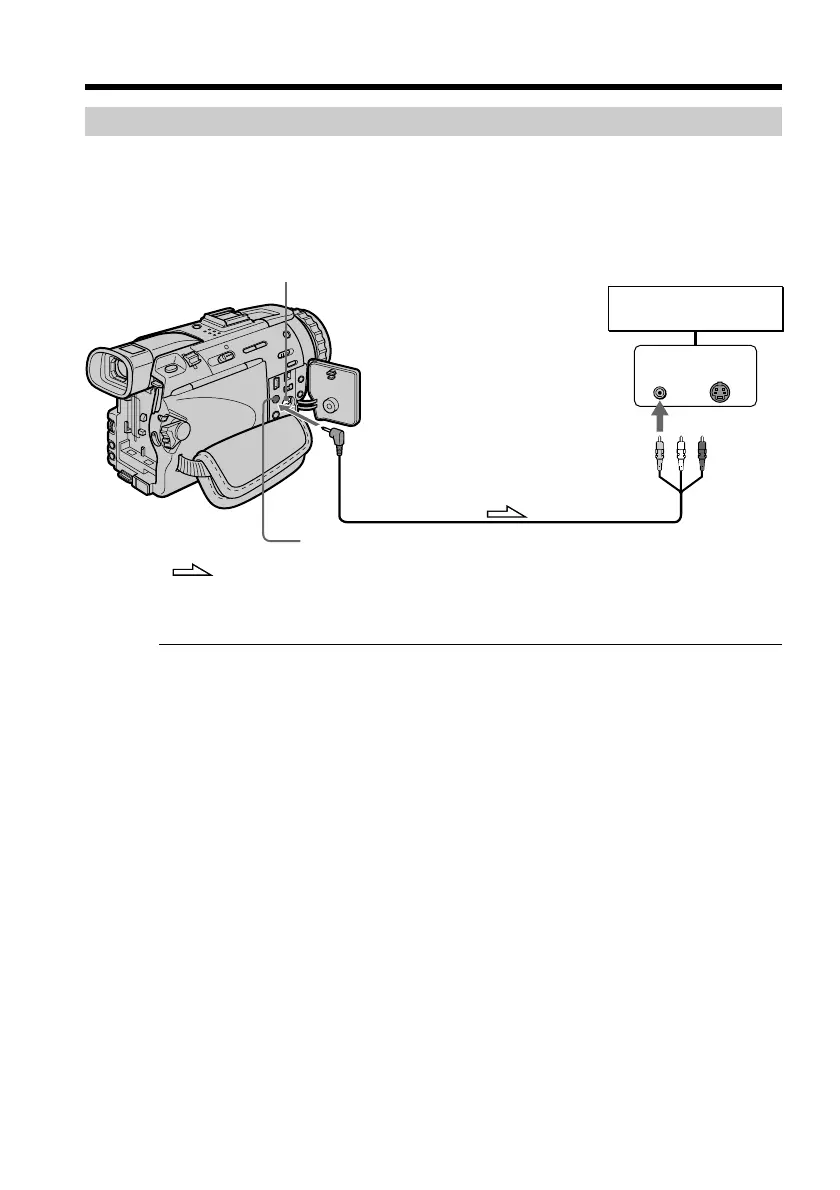
You can print a still image by using the video printer (optional). Connect the video
printer using the A/V connecting cable supplied with your camcorder.
Connect it to the AUDIO/VIDEO jack and connect the yellow plug of the cable to the
video input of the video printer.
Refer to the operating instructions of the video printer as well.
If the video printer is equipped with S video input
Use the S video connecting cable (optional) to obtain high-quality output. Connect it to
the S VIDEO jack and the S video input of the video printer.
Recording a still image on a tape – Tape Photo recording
LINE IN
VIDEO S VIDEO
AUDIO/VIDEO
S VIDEO
: Signal flow
Video printer


 To Next Page
 Loading...