Power Preparations
2-4 Preparations
Chapter 2 Preparations
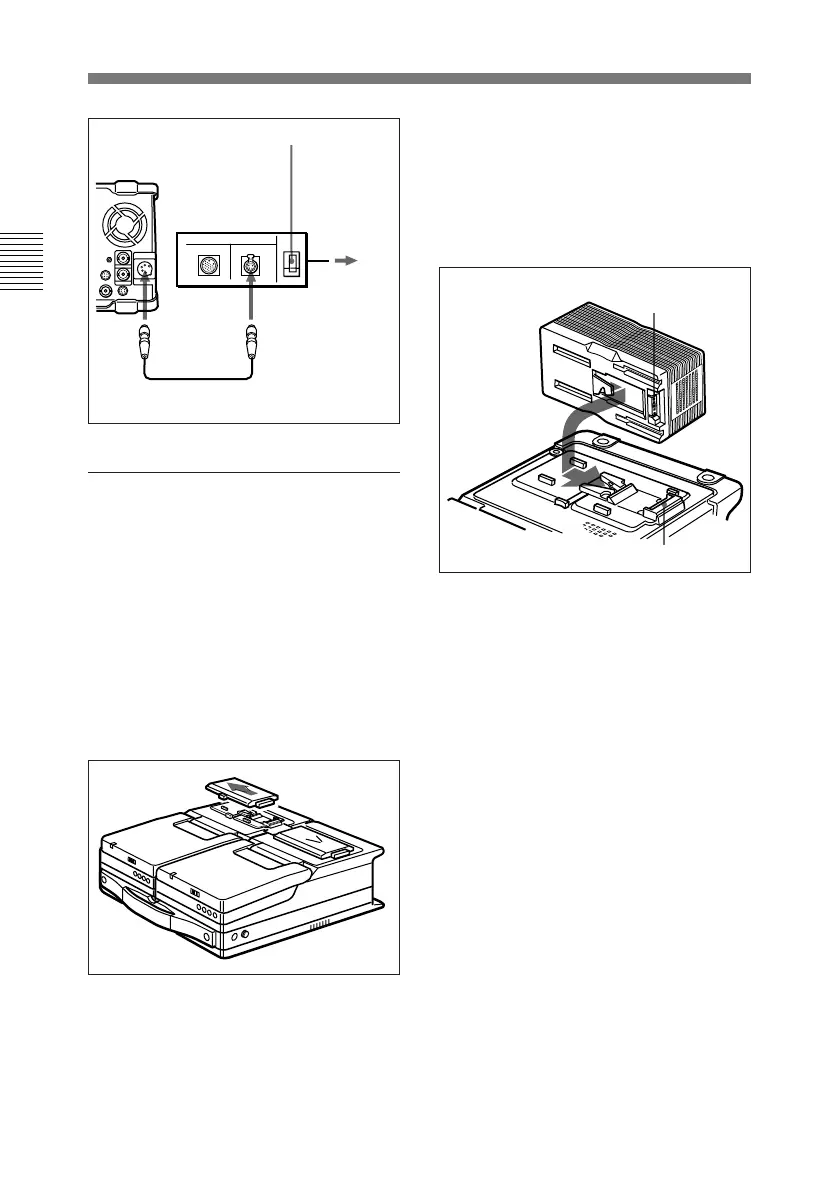
To use the AC-DN2(A)
Follow the procedure below to mount
the AC-DN2(A) on the top panel of
this unit, and connect to AC power.
When two DNW-A25/A25P units are
combined, you can supply both units
with power by fitting a single AC-
DN2A to either unit.
1 Remove the cover of the battery
connector.
2 Insert the V-wedge shoe on the
AC-DN2A in the V-groove on
one unit and slide the AC-DN2A
until the battery charging
connector is connected to the
battery connector.
3 Use the DC cable (supplied with
the AC-DN2A) to connect the DC
output connector on the AC-
DN2A and the DC IN connector
on the rear of another unit.
DC IN
AC-550/550CE
DC
OUT
DC power cord (supplied with
AC-550/550CE)
AC power
cord
(supplied
with AC-
550/550CE)
To AC
power
POWER switch: ON
Battery charging
connector
Battery connector


 To Next Page
 Loading...