Playback
4-6 Recording and Playback
Chapter 4 Recording and Playback
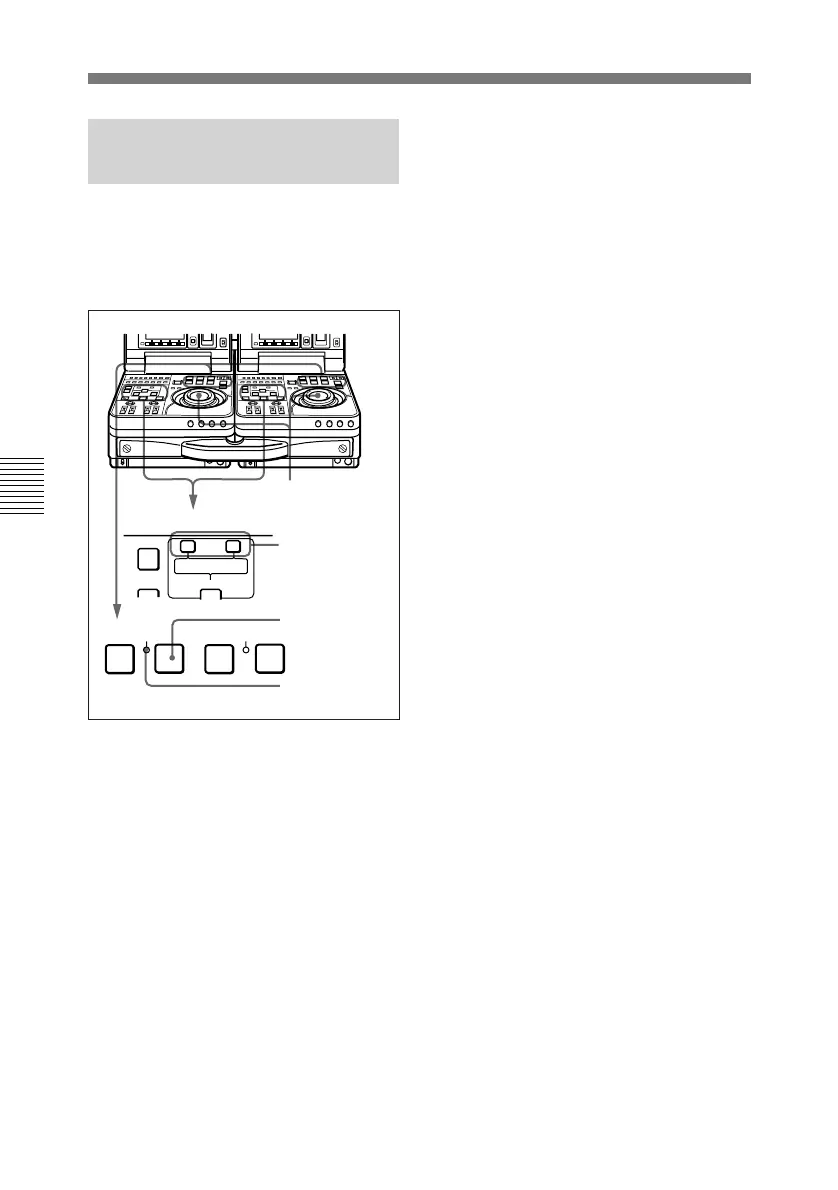
4-3-3 Capstan Override
Playback
When playing back the same program
on two units, the capstan override
function is convenient for frame
synchronization of playback pictures.
1 Adjust the playback speed using
either method a) or b).
a) Holding down the PLAY
button, rotate the shuttle dial.
The adjustment range is ±15%
in steps of 1%.
b) Holding down the PLAY
button, press one of the TRIM
buttons (+/MARK or –/LIST).
The adjustment range is ±8%.
1-a)
1-b)
1-a),b),2
2
AUDIO IN
TRIM
LIST MARK
GOOD
SHOT
ENTRY SHIFT
–+
DELETE
REW PLAY F FWD
SERVO
)
0p
4
STOP
STANDBY
2 Release the PLAY button when
the adjustment is completed.
The VTR returns to normal speed
playback and the SERVO
indicator lights.


 To Next Page
 Loading...