05 Symbols on the map
Symbols for facilities
05
``
75
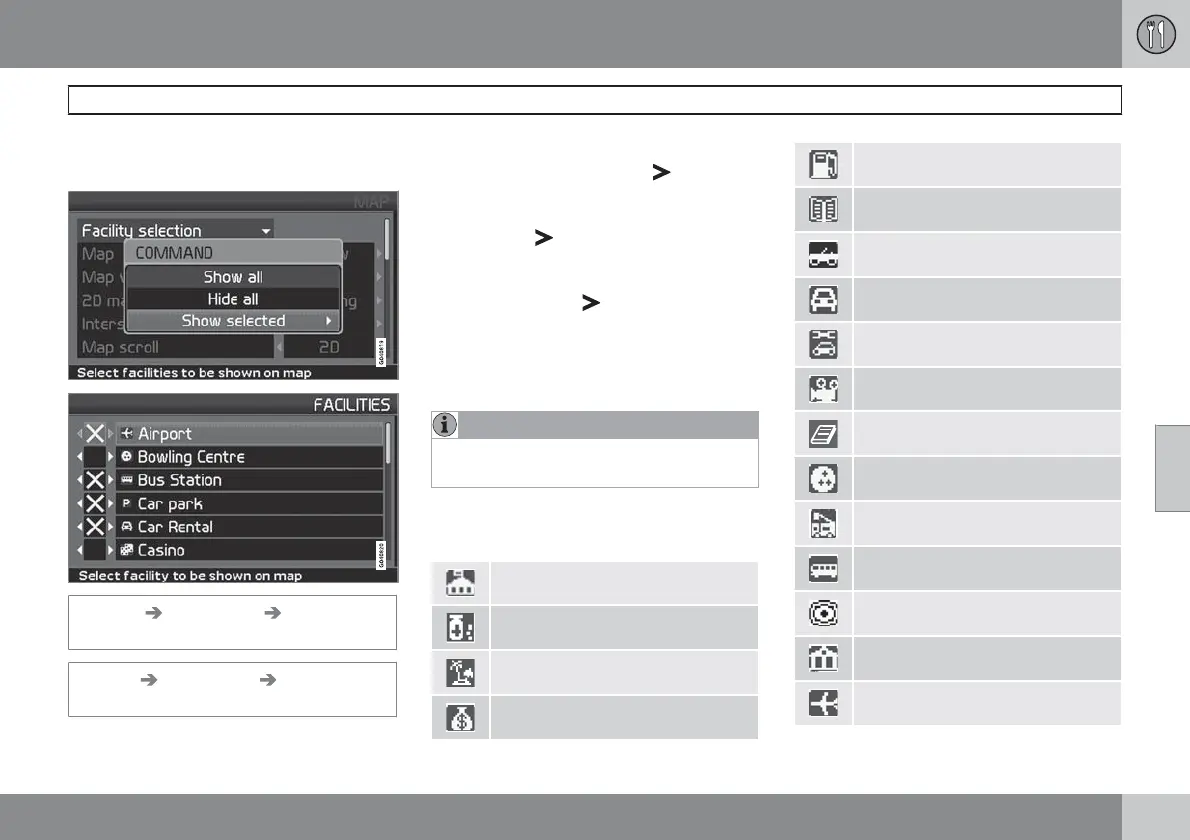
Select whether all or no facilities should appear
on the map or specify which should be shown.
(Settings Map options Facility
selection)
Settings Map options Facility
selection
1.
With Facility selection (Facility
selection
) selected, press - a menu
opens.
2.
Select Show selected (Show selected)
and press
- a new menu opens.
3. Facilities marked with a cross are dis-
played on the map - scroll through the list
and uncheck the
the symbols not to be
displayed.
4.
Finish with ENTER when all selections
have been made - exit the menus with
BACK.
NOTE
Facility symbols may vary between different
countries.
The following symbols for the different facilities
can be chosen to appear on the display screen.
Embassy
Pharmacy
Bathing beach
Bank
Petrol station
Library
Automobile club
Car hire
Car workshop
Cinema
Book store
Bowling
Fire brigade
Bus station
City centre
Court house
Airport


 To Next Page
 Loading...