Operation
en
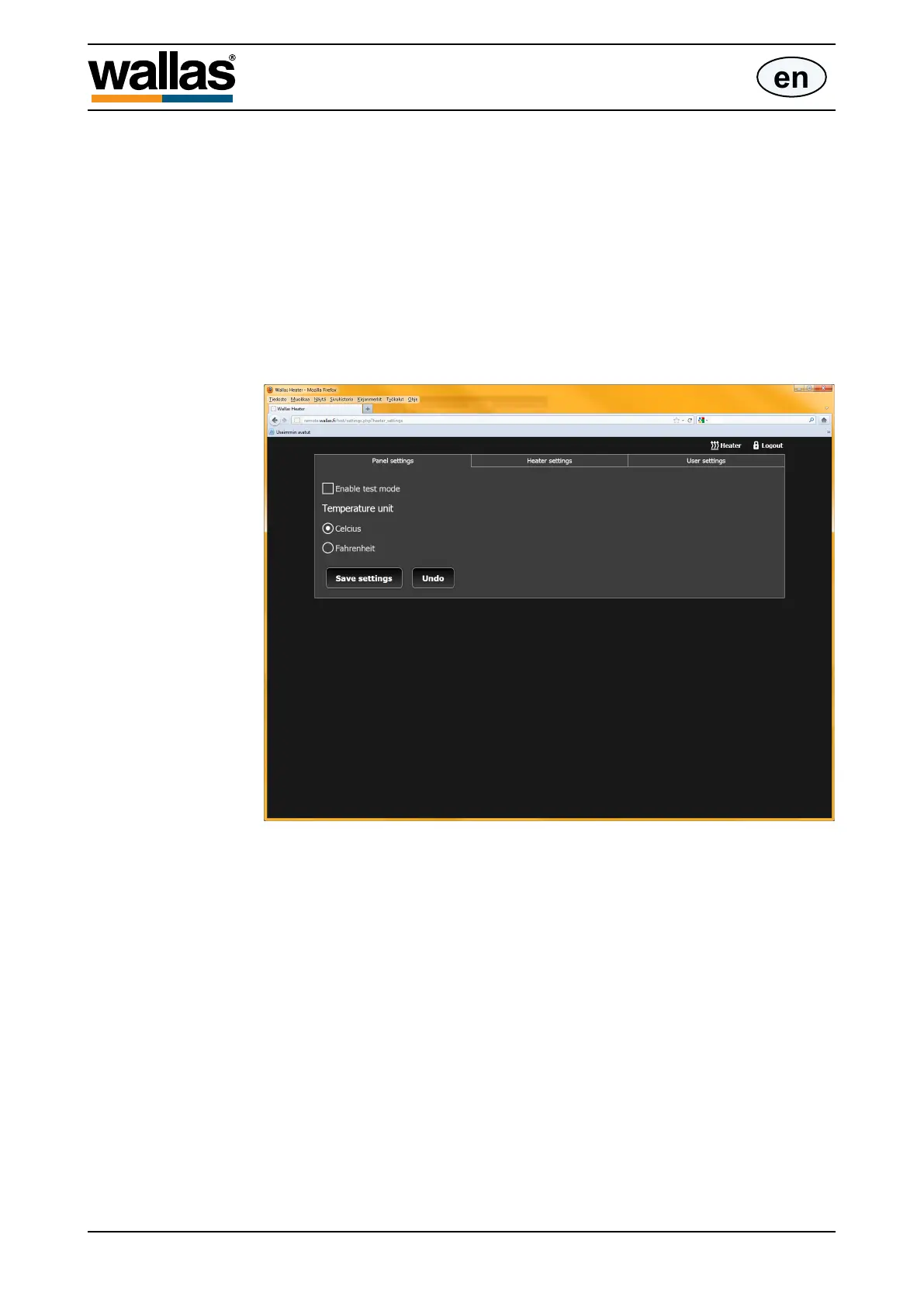
Panel settings
On the Panel settings tab you can practice/ display the functioning of the control
panel in the test mode by checking the box [Enable test mode] and pressing [Save
settings].
In the test mode commands are not sent to the actual device, but instead the func-
tions of the unit are displayed in an accelerated cycle.
When the test mode is activated the control panel displays a warning “Test mode”.
The temperature unit displayed on the panel (Celsius /Farenheit) can be changed
here. After having made the selection save the setting by pressing [Save settings].
D30071
- 40 -


 To Next Page
 Loading...