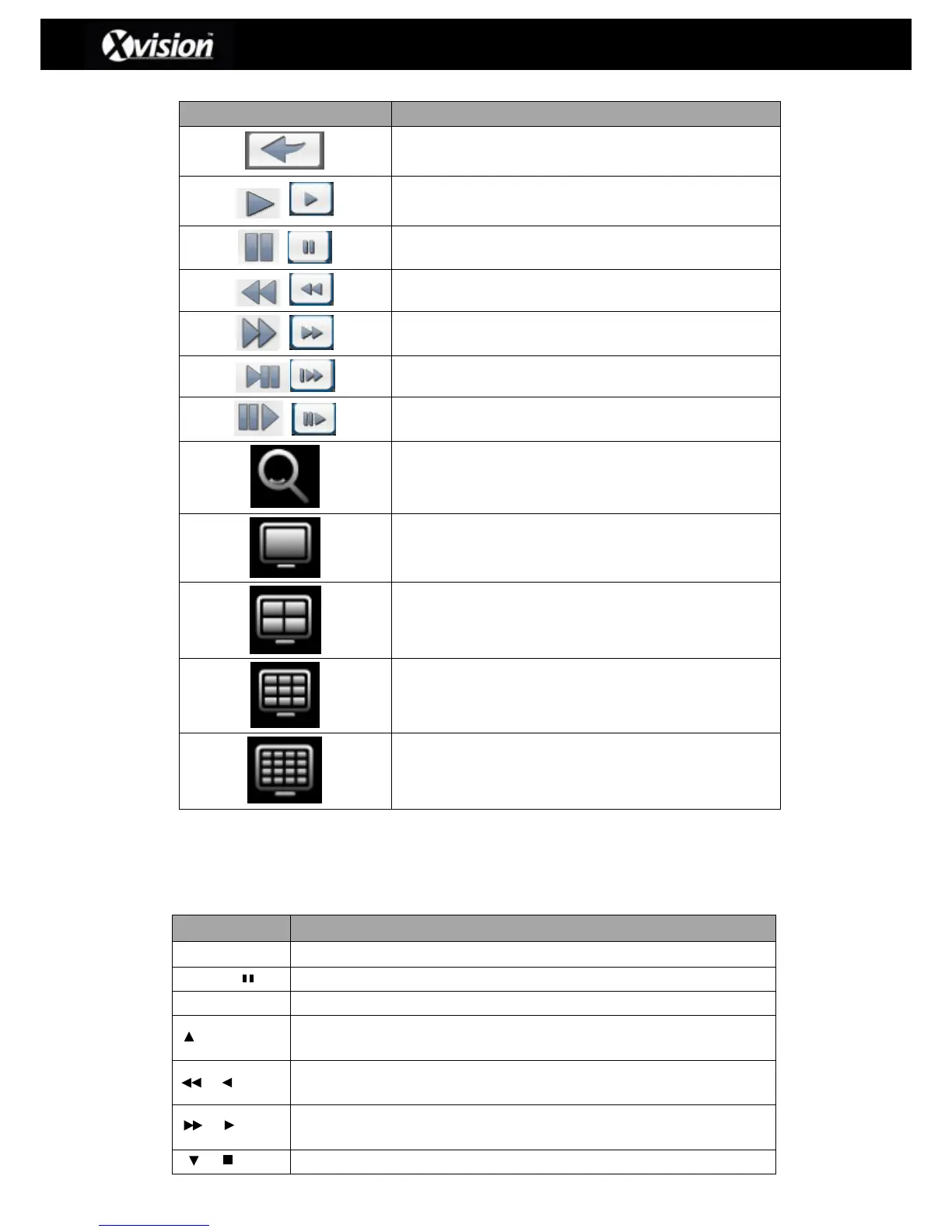
Playback Menu Description
Stop playback and return to the previous page
Fast rewind ( speed 4x, 8x, 16x, 32x)
Fast forward (speed 4x, 8x, 16x, 32x)
Slow playback (speed 1/2x, 1/4x, 1/8x)
Zoom-in display ( 2x~8x digital zoom)
Please Note: Users can also double click on a single desired channel if you want to view
a single channel during playback.
Remote Control functions under Playback mode
Switch to full screen or multi split display.
Play back at normal speed.
Play back at a slower speed; the speed will be reduced each time the
button is pressed (i.e. 1/2, 1/4, 1/8)
Fast rewind; The speed is increased each time the button is pressed
(i.e.2x, 4x, 8x, 16x, 32x and 64x).
Fast forward. Each press increases the speed to the next level. There
are six speeds: 2x, 4x, 8x, 16x, 32x and 64x



 To Next Page
 Loading...

