4-3 Remote Access Via Smartphone Apps
Smartphone apps that allow the user to access their DVR are currently available for Android,
iPhone/iPad and Windows Mobile. These apps provide a host of features that allow the user to
view live footage (single screen or multi-view options), control PTZ cameras, Zoom, Backup,
and search events/logs.
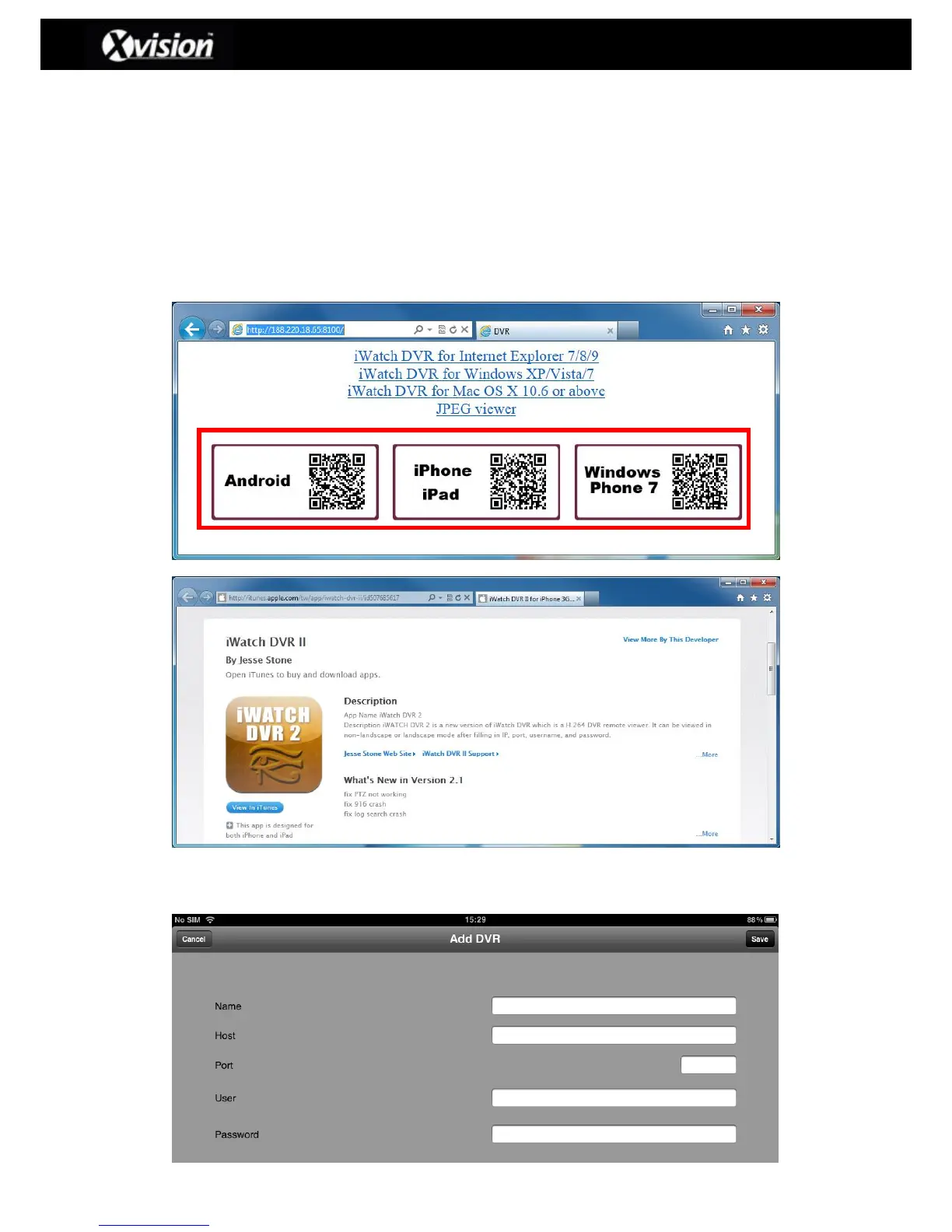
Step 1: Download the iWatchDVR 2 smartphone apps from the respective online app
stores Links direct to the smartphone App stores can be found on the DVRs web
access page, as detailed above (Step 3 for setting up remote access):
Step 2: The user can save the relevant DVR access details, as detailed below for
iPad/iPhone users:



 To Next Page
 Loading...

