44 Tutorial
01V96i—Owner’s Manual
Creating a Custom Layer
by Combining Channels
(User Assignable Layer)
If you set the Remote Layer target to “USER ASSIGN-
ABLE,” you can create a custom layer by combining any
01V96i channels (excluding the Stereo Out). This cus-
tom layer is called “User Assignable layer.”
1. Press the DISPLAY ACCESS [DIO/SETUP]
button repeatedly until the DIO/Setup|
Remote page appears.
2. Set the TARGET parameter to USER
ASSIGNABLE, then press [ENTER].
A confirmation window appears.
3. Move the cursor to the YES button, then
press [ENTER].
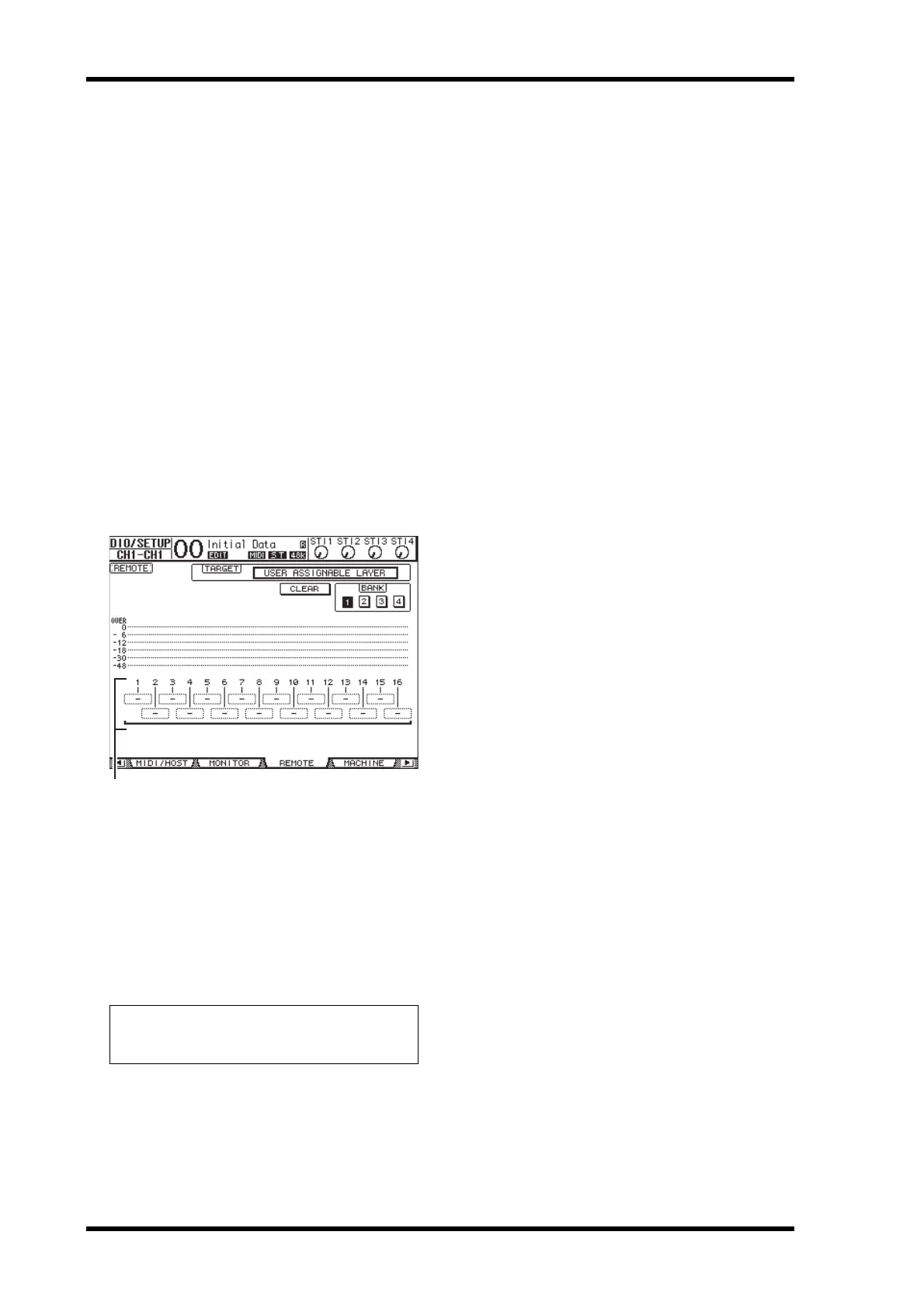
The 01V96i displays the page shown below.
4. Select the channels you wish to assign to
the User Assignable layer using the 1–16
parameter boxes (
1).
You can store up to four 16-channel setups in four
banks by switching Banks 1–4 via the BANK 1–4
buttons. If you press[ENTER] before selecting the
channels to assign, you will still be able to select the
channels you wish to assign in the User CH Select
window.
5. Use the LAYER [REMOTE] button to
assign or recall the User Assignable layer.
You can use the faders and [ON] buttons to control
the assigned channels.
Tip: You can reset the assignment to default by moving
the cursor to the CLEAR button and pressing
[ENTER].


 To Next Page
 Loading...













