ASUS DSBV-DX Seriies 5-29
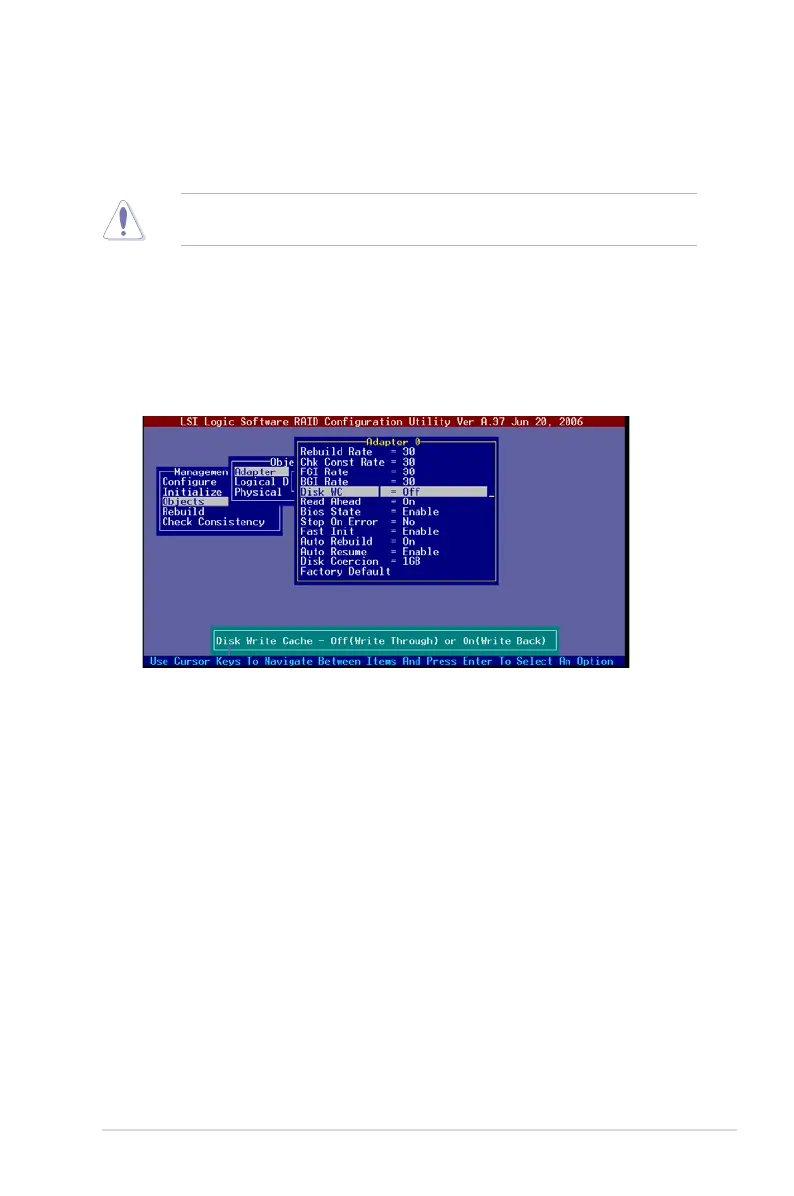
5.2.9 Enabling the WriteCache
You may enable the RAID controller’s WriteCache option to improve the data
transmission performance.
When you enable
WriteCache
, you may lose data when a power interruption
occurs while transmitting or exchanging data among the drives.
To enable WriteCache:
1. From the
Management Menu
, select
Objects
>
Adapter
, then press <Enter>
to display the adapter properties.
2. Select
WriteCache
, then press <Enter> to turn the option
On
(enabled).
3. When nished, press any key to continue.


 To Next Page
 Loading...